27 min to read
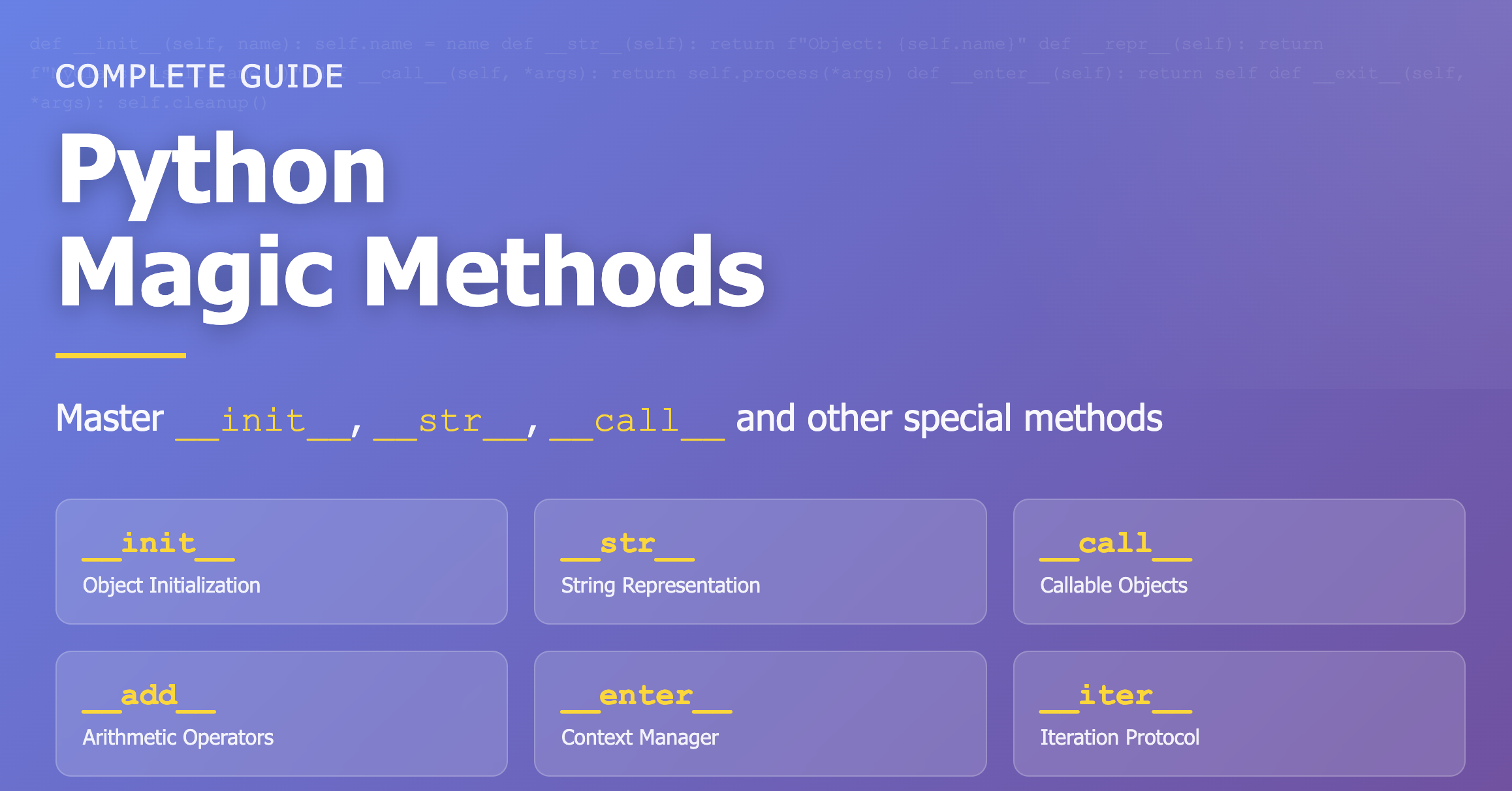
Python Magic Methods Explained: A Complete Guide to Dunder Methods
Master __init__, __str__, __call__, and other special methods to create powerful Python classes
Overview
Magic methods (also called dunder methods) are special methods in Python classes that have double underscores (__) before and after their names, like __init__ and __str__. They allow you to define how objects of your classes behave with built-in Python operations.
By implementing magic methods, you can make your custom classes work seamlessly with Python’s built-in functions and operators. This enables you to write more intuitive and Pythonic code, allowing user-defined classes to behave like built-in types. Understanding and properly using magic methods is fundamental to mastering object-oriented programming in Python.
1. Object Creation and Initialization
Magic methods that handle object creation and initialization are called first in the lifecycle of a class instance.
__init__: Constructor
The most commonly used magic method, automatically called when an object is created.
class Person:
    def __init__(self, name, age):
        self.name = name
        self.age = age
        print(f"{name} object has been created!")

person = Person("John", 25)
# Output: John object has been created!
__new__: Instance Creation
Called before __init__, this method actually creates the object. Useful for implementing patterns like Singleton.
class Singleton:
    _instance = None

    def __new__(cls):
        if cls._instance is None:
            cls._instance = super().__new__(cls)
        return cls._instance

s1 = Singleton()
s2 = Singleton()
print(s1 is s2)  # True - same object!
When to Use
__init__:
- For typical object initialization
- Setting instance attributes
- Performing initial setup tasks
__new__:
- Implementing Singleton pattern
- Creating immutable objects (when inheriting from int, str)
- Customizing instance creation process
2. String Representation
Methods that define how objects are converted to strings for display and debugging purposes.
__str__: User-Friendly String
Used when printing an object with print() or converting with str().
class Book:
    def __init__(self, title, author):
        self.title = title
        self.author = author

    def __str__(self):
        return f"'{self.title}' by {self.author}"

book = Book("Python Complete Guide", "John Doe")
print(book)  # 'Python Complete Guide' by John Doe
__repr__: Developer String
Useful for debugging, called by repr() function or when typing the object directly in the interpreter.
class Point:
    def __init__(self, x, y):
        self.x = x
        self.y = y

    def __repr__(self):
        return f"Point(x={self.x}, y={self.y})"

    def __str__(self):
        return f"({self.x}, {self.y})"

point = Point(3, 4)
print(point)        # (3, 4) - uses __str__
print(repr(point))  # Point(x=3, y=4) - uses __repr__
Key Differences
| Feature | __str__ | __repr__ |
|---|---|---|
| Purpose | For end users | For developers |
| Output Format | Readable format | Detailed and unambiguous |
| Calling Method | print(obj), str(obj) |
repr(obj), interpreter |
| Priority | Used if available | Fallback if __str__ absent |
3. Comparison Operators
Methods that enable comparison operations between objects.
Implementing All Comparison Operators
class Money:
    def __init__(self, amount):
        self.amount = amount

    def __eq__(self, other):
        """=="""
        return self.amount == other.amount

    def __ne__(self, other):
        """!="""
        return self.amount != other.amount

    def __lt__(self, other):
        """<"""
        return self.amount < other.amount

    def __le__(self, other):
        """<="""
        return self.amount <= other.amount

    def __gt__(self, other):
        """>"""
        return self.amount > other.amount

    def __ge__(self, other):
        """>="""
        return self.amount >= other.amount

money1 = Money(1000)
money2 = Money(2000)

print(money1 < money2)   # True
print(money1 == money2)  # False
print(money1 >= money2)  # False
Using total_ordering Decorator
The functools.total_ordering decorator automatically generates the remaining comparison methods if you implement __eq__ and __lt__!
from functools import total_ordering

@total_ordering
class Money:
    def __init__(self, amount):
        self.amount = amount

    def __eq__(self, other):
        return self.amount == other.amount

    def __lt__(self, other):
        return self.amount < other.amount

    # Now >, <=, >= automatically work!

money1 = Money(1000)
money2 = Money(2000)

print(money1 <= money2)  # True - automatically generated
print(money1 > money2)   # False - automatically generated
4. Arithmetic Operators
Methods that enable mathematical operations on custom classes.
Basic Arithmetic Operations
class Vector:
    def __init__(self, x, y):
        self.x = x
        self.y = y

    def __add__(self, other):
        """+"""
        return Vector(self.x + other.x, self.y + other.y)

    def __sub__(self, other):
        """-"""
        return Vector(self.x - other.x, self.y - other.y)

    def __mul__(self, scalar):
        """*"""
        return Vector(self.x * scalar, self.y * scalar)

    def __truediv__(self, scalar):
        """/"""
        return Vector(self.x / scalar, self.y / scalar)

    def __repr__(self):
        return f"Vector({self.x}, {self.y})"

v1 = Vector(2, 3)
v2 = Vector(1, 1)

print(v1 + v2)      # Vector(3, 4)
print(v1 - v2)      # Vector(1, 2)
print(v1 * 2)       # Vector(4, 6)
print(v1 / 2)       # Vector(1.0, 1.5)
Compound Assignment Operators
class Counter:
    def __init__(self, value=0):
        self.value = value

    def __iadd__(self, other):
        """+="""
        self.value += other
        return self

    def __isub__(self, other):
        """-="""
        self.value -= other
        return self

    def __repr__(self):
        return f"Counter({self.value})"

counter = Counter(10)
counter += 5
print(counter)  # Counter(15)
counter -= 3
print(counter)  # Counter(12)
Available Arithmetic Magic Methods
| Method | Operator | Description |
|---|---|---|
__add__ |
+ | Addition |
__sub__ |
- | Subtraction |
__mul__ |
* | Multiplication |
__truediv__ |
/ | Division |
__floordiv__ |
// | Floor Division |
__mod__ |
% | Modulo |
__pow__ |
** | Power |
5. Container Magic Methods
Methods that enable your class to behave like lists or dictionaries.
Creating a List-Like Class
class CustomList:
    def __init__(self):
        self._items = []

    def __len__(self):
        """len() function"""
        return len(self._items)

    def __getitem__(self, index):
        """obj[index]"""
        return self._items[index]

    def __setitem__(self, index, value):
        """obj[index] = value"""
        self._items[index] = value

    def __delitem__(self, index):
        """del obj[index]"""
        del self._items[index]

    def __contains__(self, item):
        """item in obj"""
        return item in self._items

    def append(self, item):
        self._items.append(item)

my_list = CustomList()
my_list.append(1)
my_list.append(2)
my_list.append(3)

print(len(my_list))        # 3
print(my_list[0])          # 1
print(2 in my_list)        # True
my_list[1] = 10
print(my_list[1])          # 10
Creating an Iterable Object
class Range:
    def __init__(self, start, end):
        self.start = start
        self.end = end
        self.current = start

    def __iter__(self):
        """Return iterator object"""
        self.current = self.start
        return self

    def __next__(self):
        """Return next value"""
        if self.current < self.end:
            value = self.current
            self.current += 1
            return value
        else:
            raise StopIteration

# Can be used in for loops
for i in Range(1, 5):
    print(i)  # 1, 2, 3, 4
6. Callable Objects
The __call__ method allows objects to be called like functions.
call: Making Objects Callable
class Multiplier:
    def __init__(self, factor):
        self.factor = factor

    def __call__(self, x):
        return x * self.factor

double = Multiplier(2)
triple = Multiplier(3)

print(double(5))   # 10
print(triple(5))   # 15

# Objects can be used like functions!
Practical Example: Class-Based Decorator
class CountCalls:
    def __init__(self, func):
        self.func = func
        self.count = 0

    def __call__(self, *args, **kwargs):
        self.count += 1
        print(f"{self.func.__name__} called {self.count} times")
        return self.func(*args, **kwargs)

@CountCalls
def say_hello():
    print("Hello!")

say_hello()  # say_hello called 1 times, Hello!
say_hello()  # say_hello called 2 times, Hello!
say_hello()  # say_hello called 3 times, Hello!
Caching Example
class Memoize:
    def __init__(self, func):
        self.func = func
        self.cache = {}

    def __call__(self, *args):
        if args not in self.cache:
            print(f"Computing {args}...")
            self.cache[args] = self.func(*args)
        else:
            print(f"Using cached result for {args}")
        return self.cache[args]

@Memoize
def fibonacci(n):
    if n < 2:
        return n
    return fibonacci(n-1) + fibonacci(n-2)

print(fibonacci(5))  # Performs calculation
print(fibonacci(5))  # Uses cached result
7. Context Managers
Methods that enable the use of the with statement for resource management.
__enter__ and __exit__: Supporting the with Statement
class FileManager:
    def __init__(self, filename, mode):
        self.filename = filename
        self.mode = mode
        self.file = None

    def __enter__(self):
        """Called when entering with block"""
        print(f"Opening file {self.filename}")
        self.file = open(self.filename, self.mode)
        return self.file

    def __exit__(self, exc_type, exc_val, exc_tb):
        """Called when exiting with block"""
        if self.file:
            print(f"Closing file {self.filename}")
            self.file.close()
        # File is safely closed even if exception occurs
        return False

# Usage example
with FileManager('test.txt', 'w') as f:
    f.write('Hello, World!')
# File is automatically closed
Database Connection Example
class DatabaseConnection:
    def __init__(self, connection_string):
        self.connection_string = connection_string
        self.connection = None

    def __enter__(self):
        """Start connection"""
        print("Connecting to database...")
        # In reality, this would be actual DB connection code
        self.connection = f"Connected to {self.connection_string}"
        return self.connection

    def __exit__(self, exc_type, exc_val, exc_tb):
        """Close connection"""
        print("Closing database connection...")
        self.connection = None
        if exc_type:
            print(f"Exception occurred: {exc_type.__name__}: {exc_val}")
        return False

# Usage example
with DatabaseConnection("postgresql://localhost/mydb") as conn:
    print(f"Performing operations: {conn}")
# Connection automatically closed
8. Attribute Access Control
Methods that customize how attributes are accessed in your objects.
__getattr__ and __setattr__
class DynamicAttributes:
    def __init__(self):
        self._data = {}

    def __getattr__(self, name):
        """Called when accessing non-existent attribute"""
        print(f"Attribute '{name}' not found, returning default value")
        return self._data.get(name, None)

    def __setattr__(self, name, value):
        """Called when setting attribute"""
        if name.startswith('_'):
            # Set private attributes normally
            super().__setattr__(name, value)
        else:
            print(f"Setting attribute '{name}' to {value}")
            if not hasattr(self, '_data'):
                super().__setattr__('_data', {})
            self._data[name] = value

obj = DynamicAttributes()
obj.name = "Python"  # Setting attribute 'name' to Python
print(obj.name)      # Python
print(obj.age)       # Attribute 'age' not found, returning default value, None
Property-like Behavior
class Temperature:
    def __init__(self):
        self._celsius = 0

    def __getattr__(self, name):
        if name == 'fahrenheit':
            return self._celsius * 9/5 + 32
        raise AttributeError(f"Attribute '{name}' does not exist")

    def __setattr__(self, name, value):
        if name == 'fahrenheit':
            super().__setattr__('_celsius', (value - 32) * 5/9)
        else:
            super().__setattr__(name, value)

temp = Temperature()
temp._celsius = 0
print(temp.fahrenheit)  # 32.0

temp.fahrenheit = 100
print(temp._celsius)    # 37.77777777777778
Comprehensive Example: Smart Dictionary
A practical example utilizing all major magic methods.
class SmartDict:
    """A dictionary-like class with additional features"""

    def __init__(self, **kwargs):
        """Initialization"""
        self._data = kwargs
        self._access_count = {}

    def __str__(self):
        """User-friendly string"""
        return f"SmartDict({len(self._data)} items)"

    def __repr__(self):
        """Detailed developer string"""
        return f"SmartDict({self._data})"

    def __len__(self):
        """len() support"""
        return len(self._data)

    def __getitem__(self, key):
        """dict[key] access"""
        self._access_count[key] = self._access_count.get(key, 0) + 1
        return self._data[key]

    def __setitem__(self, key, value):
        """dict[key] = value"""
        self._data[key] = value
        self._access_count[key] = self._access_count.get(key, 0)

    def __delitem__(self, key):
        """del dict[key]"""
        del self._data[key]
        if key in self._access_count:
            del self._access_count[key]

    def __contains__(self, key):
        """key in dict"""
        return key in self._data

    def __iter__(self):
        """for key in dict"""
        return iter(self._data)

    def __eq__(self, other):
        """=="""
        if not isinstance(other, SmartDict):
            return False
        return self._data == other._data

    def __add__(self, other):
        """dict1 + dict2"""
        if not isinstance(other, SmartDict):
            raise TypeError("Can only add SmartDict with SmartDict")
        result = SmartDict(**self._data)
        result._data.update(other._data)
        return result

    def __call__(self, key):
        """dict(key) - return value with access count"""
        count = self._access_count.get(key, 0)
        return {
            'value': self._data.get(key),
            'access_count': count
        }

    def most_accessed(self):
        """Return most frequently accessed key"""
        if not self._access_count:
            return None
        return max(self._access_count, key=self._access_count.get)

# Usage example
d = SmartDict(name="Python", version=3.11, year=2023)

print(d)                    # SmartDict(3 items)
print(len(d))               # 3
print(d['name'])            # Python
print('version' in d)       # True

d['language'] = 'Python'
print(d('name'))            # {'value': 'Python', 'access_count': 1}

d2 = SmartDict(type="Programming")
d3 = d + d2
print(d3)                   # SmartDict(4 items)

print(d.most_accessed())    # name
Common Pitfalls and Best Practices
Pitfall 1: __getattr__ and Infinite Recursion
Wrong:
class Wrong:
    def __getattr__(self, name):
        return self.default  # Infinite recursion if self.default doesn't exist!
Correct:
class Correct:
    def __getattr__(self, name):
        if name == 'default':
            return None
        return getattr(self, 'default', None)
Pitfall 2: Defining __eq__ Without __hash__
Wrong:
class Point:
    def __init__(self, x, y):
        self.x = x
        self.y = y

    def __eq__(self, other):
        return self.x == other.x and self.y == other.y
    # Problem when using in sets or as dict keys!
Correct:
class Point:
    def __init__(self, x, y):
        self.x = x
        self.y = y

    def __eq__(self, other):
        return self.x == other.x and self.y == other.y

    def __hash__(self):
        return hash((self.x, self.y))
__eq__, objects become unhashable by default. If you want to use them in sets or as dict keys, you must also define __hash__.
Pitfall 3: Silencing Exceptions in __exit__
Consider:
class ResourceManager:
    def __exit__(self, exc_type, exc_val, exc_tb):
        self.cleanup()
        return True  # Silences all exceptions!
Better:
class ResourceManager:
    def __exit__(self, exc_type, exc_val, exc_tb):
        self.cleanup()
        # Return False or omit return to allow exceptions to propagate
        return False
Magic Methods Reference Guide
| Category | Method | Purpose |
|---|---|---|
| Creation/Initialization | __new__ |
Instance creation |
__init__ |
Instance initialization | |
| String Representation | __str__ |
User-friendly string |
__repr__ |
Developer detailed string | |
| Comparison | __eq__ |
== |
__ne__ |
!= | |
__lt__ |
< | |
__le__ |
<= | |
__gt__ |
> | |
__ge__ |
>= | |
| Arithmetic | __add__ |
+ |
__sub__ |
- | |
__mul__ |
* | |
__truediv__ |
/ | |
| Container | __len__ |
len() |
__getitem__ |
obj[key] | |
__setitem__ |
obj[key] = value | |
__delitem__ |
del obj[key] | |
__contains__ |
in | |
| Iteration | __iter__ |
Return iterator |
__next__ |
Next item | |
| Callable | __call__ |
obj() |
| Context Manager | __enter__ |
with entry |
__exit__ |
with exit | |
| Attribute Access | __getattr__ |
Get attribute |
__setattr__ |
Set attribute | |
__delattr__ |
Delete attribute |
Conclusion
Magic methods are a powerful feature of Python’s object-oriented programming that make custom classes more intuitive and expressive.
Key Takeaways
Intuitive Interfaces:
- Custom classes behave like built-in types
- Operator overloading provides natural syntax
- Implements Python’s philosophy of “explicit and readable code”
Flexible Behavior Control:
- Manage the entire lifecycle from creation to destruction
- Customize attribute access, operations, comparisons, and more
- Safely manage resources with context managers
Code Quality Improvement:
- More readable and maintainable code
- Reduced bugs and improved stability
- Implements Pythonic coding style
Usage Guidelines
When using magic methods:
- Only implement when there’s a clear meaning
- Implement with predictable behavior
- Only implement what you need (don’t implement all methods)
- Clearly document behavior through documentation
By properly utilizing magic methods, you can write more powerful and intuitive Python code!
References
- Python Official Documentation - Data Model
- Real Python - Python’s Magic Methods: Leverage Their Power in Your Classes
- GeeksforGeeks - Dunder or Magic Methods in Python
- Python Guide - Magic Methods
- Stack Overflow - What is the difference between
__str__and__repr__? - Real Python - Context Managers and Python’s with Statement

Comments