19 min to read
Libvirt Complete Guide - Linux Virtualization Management Tool
Comprehensive guide to Libvirt and virsh commands for efficient VM management
Overview
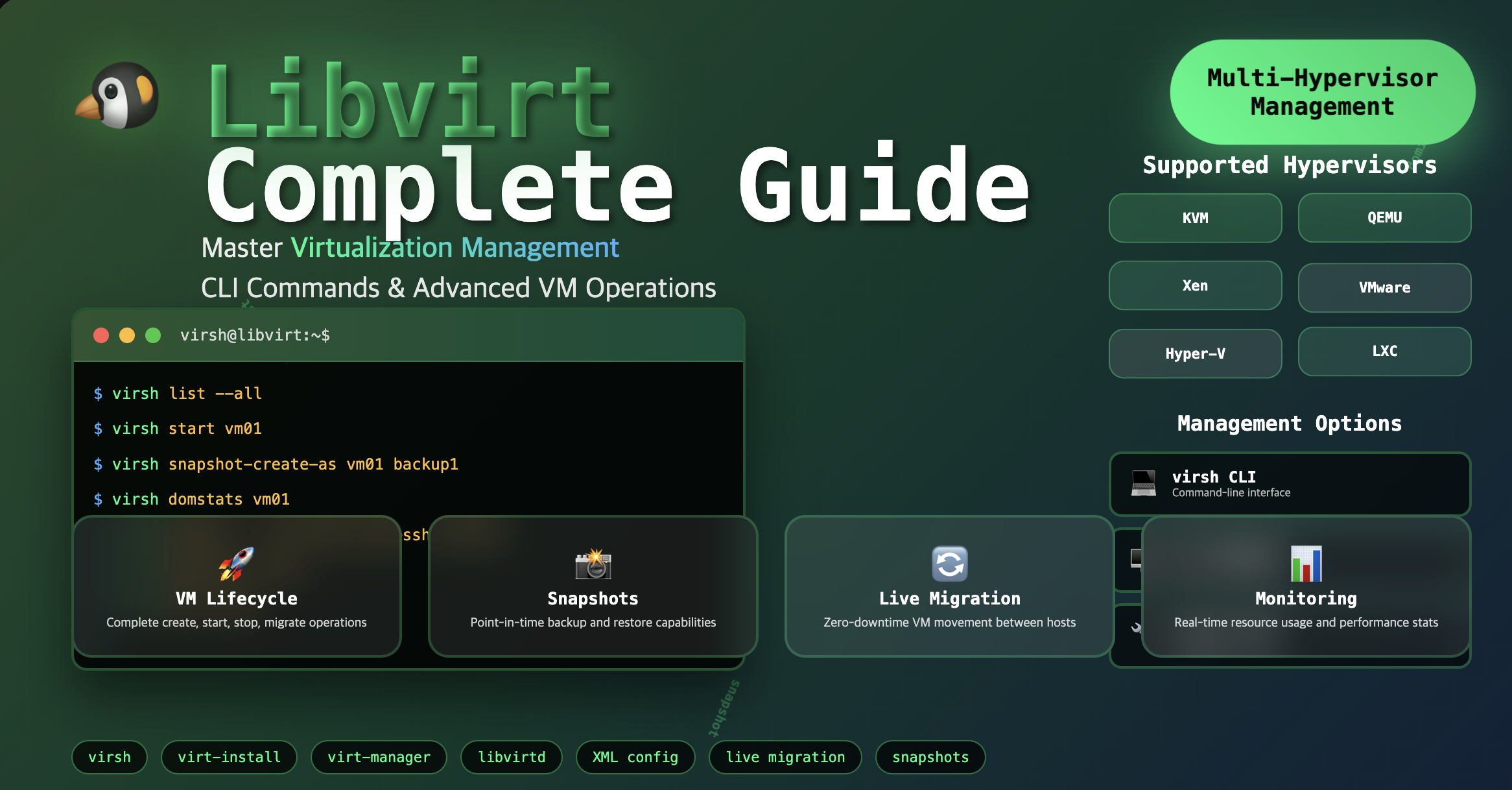
In Linux-based virtualization environments, efficient management tools are essential for handling hypervisors like KVM and QEMU effectively.
Libvirt is an open-source virtualization management tool designed to meet this need. It provides flexible virtual machine management capabilities through command-line interfaces (CLI), graphical user interfaces (GUI), and APIs, while maintaining compatibility with various hypervisors.
This comprehensive guide covers Libvirt concepts, key features, installation procedures, and detailed virsh command references for practical VM management. We’ll also explore how Libvirt compares to traditional virtualization management approaches and why it’s become indispensable in modern virtualized environments.
What is Libvirt?
Libvirt is an open-source virtualization management library that provides functionality for creating, deleting, taking snapshots, and allocating resources for virtual machines (VMs). It works with CLI tools like virsh and GUI-based management tools like virt-manager, offering compatibility with various hypervisors.
Libvirt provides software abstraction for managing virtual machines on hypervisors, enabling unified management across different virtualization technologies.
Key Characteristics
| Feature | Description |
|---|---|
| Multi-Hypervisor Support | Compatible with KVM, QEMU, Xen, VMware, Hyper-V, and more |
| Comprehensive VM Management | Create, delete, snapshot, migrate, and monitor virtual machines |
| Multiple Management Interfaces | virsh CLI, virt-manager GUI, and libvirt API integration |
| Enterprise Features | Live migration, storage management, and network configuration |
Libvirt Architecture and Components
Understanding Libvirt’s architecture helps optimize virtualization management workflows.
Architecture Overview
Key Features of Libvirt
Libvirt provides comprehensive virtualization management capabilities essential for modern infrastructure.
1️⃣ Virtual Machine (VM) Management
- Lifecycle Management: VM creation, deletion, start, stop, and reboot support
- State Monitoring: VM status checking and resource usage monitoring capabilities
- Configuration Management: Dynamic VM configuration updates and hardware allocation
2️⃣ Virtual Network and Storage Management
- Network Configuration: Bridge networks, NAT (Network Address Translation), and internal network setup
- Storage Management: Virtual disk and ISO image management support
- Storage Pools: Centralized storage resource management
3️⃣ Virtual Machine Migration (Live Migration)
- Zero-Downtime Migration: Move running VMs to other hosts without downtime
- Cluster Integration: Utilization in virtualization cluster environments
- Load Balancing: Dynamic resource distribution across hosts
4️⃣ Snapshot and Backup
- Point-in-Time Recovery: Save and restore VM states at specific moments
- Data Protection: Data protection and test environment setup through snapshots
- Backup Automation: Automated backup workflows and scheduling
5️⃣ API and Automation Support
- Multi-Language APIs: Libvirt API support for Python, Go, Ruby, and other programming languages
- Infrastructure as Code: Integration with Ansible, Terraform for virtualization environment automation
- Custom Integration: Build custom management tools using libvirt APIs
Installation and Initial Setup
Complete guide for setting up Libvirt on various Linux distributions.
System Requirements Check
Before installation, verify system compatibility:
# Check CPU virtualization support
egrep -c '(vmx|svm)' /proc/cpuinfo

# Verify hardware virtualization is enabled
kvm-ok

# Check if user is in correct groups
groups $USER
Installation on Ubuntu/Debian
# Update package repository
sudo apt update

# Install Libvirt, KVM, and management tools
sudo apt install -y qemu-kvm libvirt-daemon-system libvirt-clients bridge-utils virt-manager

# Add user to libvirt groups
sudo usermod -aG libvirt $USER
sudo usermod -aG kvm $USER

# Start and enable libvirt service
sudo systemctl start libvirtd
sudo systemctl enable libvirtd

# Verify installation
sudo systemctl status libvirtd
Installation on CentOS/RHEL/Fedora
# Install virtualization packages
sudo dnf install -y qemu-kvm libvirt virt-install virt-manager

# Start and enable services
sudo systemctl start libvirtd
sudo systemctl enable libvirtd

# Configure firewall (if needed)
sudo firewall-cmd --add-service=libvirt --permanent
sudo firewall-cmd --reload

# Verify installation
virsh list --all
Initial Configuration
# Verify default network
virsh net-list --all

# Start default network if not active
virsh net-start default
virsh net-autostart default

# Check storage pools
virsh pool-list --all

# Create default storage pool if needed
virsh pool-define-as default dir --target /var/lib/libvirt/images
virsh pool-start default
virsh pool-autostart default
Virsh Command Reference Guide
Comprehensive reference for virsh commands used in daily VM management operations.
Basic VM Management Commands
Domain Definition and Creation
VM Lifecycle Management
# Start virtual machine
virsh start [domain name]

# List all virtual machines
virsh list --all

# Show only running VMs
virsh list

# Graceful shutdown
virsh shutdown [domain name]

# Force shutdown (equivalent to power button)
virsh destroy [domain name]

# Reboot VM
virsh reboot [domain name]

# Remove VM definition (doesn't delete disk images)
virsh undefine [domain name]

# Remove VM with storage
virsh undefine [domain name] --remove-all-storage
VM State Management
Pause and Resume Operations
# Pause (suspend) virtual machine
virsh suspend [domain name]

# Resume suspended virtual machine
virsh resume [domain name]

# Save VM state to file
virsh save [domain name] [save file path]

# Restore VM from saved state
virsh restore [save file path]
Console and Remote Access
# Connect to VM console
virsh console [domain name]

# Access VNC console (if configured)
virsh vncdisplay [domain name]

# Disconnect from console
# Use Ctrl+] to exit console
Snapshot Management
Snapshots provide point-in-time VM state preservation for backup and testing purposes.
Creating Snapshots
# Create snapshot with name and description
virsh snapshot-create-as --domain [domain name] --name [snapshot name] --description "[description]"

# Example
virsh snapshot-create-as --domain win10 --name snapshot1 --description "Clean installation backup"

# Create snapshot including memory state
virsh snapshot-create-as --domain [domain name] --name [snapshot name] --memory

# Create disk-only snapshot (faster)
virsh snapshot-create-as --domain [domain name] --name [snapshot name] --disk-only
Managing Snapshots
# List all snapshots for a domain
virsh snapshot-list --domain [domain name]

# Show detailed snapshot information
virsh snapshot-info --domain [domain name] --snapshotname [snapshot name]

# Get current snapshot
virsh snapshot-current --domain [domain name]
Restoring from Snapshots
# Revert to specific snapshot
virsh snapshot-revert [domain name] [snapshot name]

# Example
virsh snapshot-revert win10 snapshot1

# Revert to snapshot and restart VM
virsh snapshot-revert --domain [domain name] --snapshotname [snapshot name] --running
Deleting Snapshots
# Delete specific snapshot
virsh snapshot-delete --domain [domain name] --snapshotname [snapshot name]

# Example
virsh snapshot-delete --domain win10 --snapshotname snapshot1

# Delete snapshot and its children
virsh snapshot-delete --domain [domain name] --snapshotname [snapshot name] --children
VM Configuration and Monitoring
VM Information and Statistics
# Get VM resource usage statistics
virsh domstats [domain name]

# Example output interpretation
virsh domstats win10
# Domain: 'win10'
#   state.state=1              # 1=running, 3=paused, 5=shutoff
#   cpu.time=197136008572      # CPU time in nanoseconds
#   balloon.current=1048576    # Current memory in KB
#   net.0.rx.bytes=32349       # Network received bytes
#   block.0.rd.bytes=29008384  # Disk read bytes
#   block.0.wr.bytes=11841024  # Disk write bytes

# Get detailed VM information
virsh dominfo [domain name]

# Show VM configuration XML
virsh dumpxml [domain name]

# Monitor VM performance in real-time
watch virsh domstats [domain name]
Configuration Management
# Edit VM configuration (opens in default editor)
virsh edit [domain name]

# Backup VM configuration to file
virsh dumpxml [domain name] > vm-backup.xml

# Apply configuration changes from file
virsh define vm-backup.xml

# Get specific configuration elements
virsh dumpxml [domain name] | grep -A 5 "<memory"
Autostart Configuration
Essential for production environments requiring automatic VM startup after host reboot.
# Enable autostart for VM
virsh autostart [domain name]

# Disable autostart
virsh autostart --disable [domain name]

# Check autostart status
virsh dominfo [domain name] | grep Autostart

# List all autostart VMs
for vm in $(virsh list --name --all); do
    echo -n "$vm: "
    virsh dominfo $vm | grep Autostart | awk '{print $2}'
done
Storage and Disk Management
Disk Information and Management
# List attached disks for a domain
virsh domblklist [domain name]

# Show disk usage statistics
virsh domblkstat [domain name] [disk device]

# Resize disk (VM must be running)
virsh blockresize [domain name] [disk path] [new size]

# Example: Resize to 20GB
virsh blockresize myvm /var/lib/libvirt/images/myvm.qcow2 20G
Storage Pool Management
# List all storage pools
virsh pool-list --all

# Create directory-based storage pool
virsh pool-define-as mypool dir --target /path/to/storage

# Start and autostart pool
virsh pool-start mypool
virsh pool-autostart mypool

# List volumes in a pool
virsh vol-list [pool name]

# Create new volume
virsh vol-create-as [pool name] [volume name] [size]

# Delete volume
virsh vol-delete [volume name] --pool [pool name]
Network Management
Network Configuration
# List all networks
virsh net-list --all

# Show network configuration
virsh net-dumpxml [network name]

# Start/stop network
virsh net-start [network name]
virsh net-destroy [network name]

# Enable/disable network autostart
virsh net-autostart [network name]
virsh net-autostart --disable [network name]

# Create bridge network
virsh net-define bridge-network.xml
virsh net-start bridge-network
Troubleshooting Network Issues
# Restart default network
virsh net-destroy default
virsh net-start default

# Check bridge configuration
brctl show

# Verify iptables rules
sudo iptables -L -n | grep virbr

# Test network connectivity
ping -c 3 192.168.122.1  # Default gateway
Advanced VM Operations
Live Migration
Performance Tuning
# Set VM memory
virsh setmem [domain name] [memory in KB]

# Set maximum memory
virsh setmaxmem [domain name] [memory in KB]

# Set CPU count (requires restart)
virsh setvcpus [domain name] [cpu count] --config

# Set CPU affinity
virsh vcpupin [domain name] [vcpu] [host cpu list]

# Example: Pin vCPU 0 to host CPUs 0-1
virsh vcpupin myvm 0 0-1
Libvirt vs Traditional Virtualization Management
Comparison highlighting Libvirt’s advantages over traditional virtualization management approaches.
Comprehensive Comparison
| Comparison Aspect | Libvirt | Traditional Management |
|---|---|---|
| Hypervisor Support | Multi-hypervisor support (KVM, QEMU, Xen, etc.) | Locked to specific hypervisor |
| Management Approach | API, CLI, and GUI-based unified management | CLI-only or manual configuration required |
| Automation Support | Seamless integration with Ansible, Terraform | Limited automation capabilities |
| Migration Features | Built-in live migration support | Migration supported only in some solutions |
| Snapshot Management | Comprehensive snapshot and backup features | Basic or no snapshot support |
| Network Management | Advanced virtual network configuration | Manual network setup required |
| Storage Management | Centralized storage pool management | Individual disk image management |
| Monitoring | Built-in resource monitoring and statistics | External monitoring tools required |
Best Practices and Optimization
Essential practices for efficient Libvirt deployment in production environments.
Performance Optimization
CPU Configuration
# Enable CPU host-passthrough for optimal performance
virsh edit [domain name]
# Add: <cpu mode='host-passthrough'/>

# Configure CPU topology
# Add: <topology sockets='1' cores='2' threads='1'/>

# Pin VMs to specific CPU cores for better performance
virsh vcpupin [domain name] 0 0-1
virsh vcpupin [domain name] 1 2-3
Memory Optimization
# Enable memory ballooning
virsh edit [domain name]
# Ensure: <memballoon model='virtio'/>

# Configure hugepages for better performance
echo 1024 | sudo tee /proc/sys/vm/nr_hugepages
# Add to VM: <memoryBacking><hugepages/></memoryBacking>

# Enable KSM for memory efficiency
echo 1 | sudo tee /sys/kernel/mm/ksm/run
Storage Configuration
# Use virtio for optimal I/O performance
virsh edit [domain name]
# Ensure: <driver name='qemu' type='qcow2' cache='writeback'/>

# Create optimized disk images
qemu-img create -f qcow2 -o preallocation=metadata disk.qcow2 20G

# Monitor storage performance
virsh domblkstat [domain name] [device]
Security Best Practices
Access Control
# Configure user permissions
sudo usermod -aG libvirt username
sudo usermod -aG kvm username

# Set appropriate file permissions
sudo chown root:kvm /var/lib/libvirt/images/*
sudo chmod 640 /var/lib/libvirt/images/*

# Enable SELinux security labels
virsh edit [domain name]
# Add: <seclabel type='dynamic' model='selinux' relabel='yes'/>
Network Security
# Create isolated networks for security
virsh net-define isolated-network.xml
virsh net-start isolated-network

# Configure firewall rules
sudo iptables -A FORWARD -i virbr1 -o virbr0 -j DROP
sudo iptables -A FORWARD -i virbr0 -o virbr1 -j DROP
Backup and Disaster Recovery
Automated Backup Scripts
#!/bin/bash
# VM backup script
DOMAIN_NAME="$1"
BACKUP_DIR="/backup/vms"
DATE=$(date +%Y%m%d_%H%M%S)

# Create snapshot
virsh snapshot-create-as --domain $DOMAIN_NAME --name "backup_$DATE"

# Export VM configuration
virsh dumpxml $DOMAIN_NAME > "$BACKUP_DIR/${DOMAIN_NAME}_config_$DATE.xml"

# Copy disk images
cp /var/lib/libvirt/images/${DOMAIN_NAME}.qcow2 "$BACKUP_DIR/${DOMAIN_NAME}_disk_$DATE.qcow2"

echo "Backup completed for $DOMAIN_NAME"
Recovery Procedures
# Restore VM from backup
virsh define vm_config_backup.xml
virsh start [domain name]

# Restore from snapshot
virsh snapshot-revert [domain name] [snapshot name]

# Clone VM for testing
virt-clone --original [source vm] --name [new vm name] --auto-clone
Troubleshooting Common Issues
Solutions for frequently encountered problems in Libvirt environments.
VM Startup Issues
Problem: VM Fails to Start
# Check VM status and error messages
virsh list --all
virsh start [domain name]

# Review libvirt logs
sudo tail -f /var/log/libvirt/libvirtd.log

# Check qemu logs
sudo tail -f /var/log/libvirt/qemu/[domain name].log

# Verify VM configuration
virsh dumpxml [domain name] | grep -E "(error|invalid)"
Problem: Insufficient Resources
# Check host resources
free -h
df -h
lscpu

# Adjust VM resources
virsh setmem [domain name] [smaller memory size]
virsh setvcpus [domain name] [fewer cpus] --config
Network Connectivity Issues
Problem: VM Cannot Access Network
# Check network status
virsh net-list --all
ping -c 3 192.168.122.1

# Restart default network
virsh net-destroy default
virsh net-start default

# Verify bridge configuration
brctl show
ip route show

# Check iptables rules
sudo iptables -L -n | grep virbr
Problem: No Internet Access from VM
# Enable IP forwarding
echo 1 | sudo tee /proc/sys/net/ipv4/ip_forward

# Check NAT rules
sudo iptables -t nat -L

# Restart networking
sudo systemctl restart libvirtd
sudo systemctl restart NetworkManager
Storage and Performance Issues
Problem: Poor Disk Performance
# Check disk allocation
qemu-img info /path/to/disk.qcow2

# Convert to optimized format
qemu-img convert -f qcow2 -O qcow2 -o preallocation=metadata source.qcow2 optimized.qcow2

# Monitor I/O statistics
virsh domblkstat [domain name] [device]
iostat -x 1
Problem: Storage Pool Issues
# Refresh storage pool
virsh pool-refresh [pool name]

# Check pool status
virsh pool-info [pool name]

# Rebuild pool if necessary
virsh pool-destroy [pool name]
virsh pool-start [pool name]
Integration with Automation Tools
Libvirt’s integration capabilities with modern DevOps and Infrastructure as Code tools.
Ansible Integration
Terraform Integration
# Terraform libvirt provider example
resource "libvirt_domain" "vm" {
  name   = "test-vm"
  memory = "2048"
  vcpu   = 2

  network_interface {
    network_name = "default"
  }

  disk {
    volume_id = libvirt_volume.vm_disk.id
  }

  console {
    type        = "pty"
    target_port = "0"
    target_type = "serial"
  }
}
Key Points
-
Comprehensive Management Platform
- Unified interface for multiple hypervisors (KVM, QEMU, Xen)
- CLI (virsh), GUI (virt-manager), and API management options
- Enterprise features: live migration, snapshots, automation
- Production-ready with extensive monitoring capabilities -
Essential Virsh Commands
- VM lifecycle: define, start, stop, destroy, undefine
- Snapshot management: create, list, revert, delete
- Performance monitoring: domstats, dominfo, domblkstat
- Configuration: edit, dumpxml, autostart settings -
Production Advantages
- Standardized management across different environments
- Seamless integration with automation tools (Ansible, Terraform)
- Advanced features: live migration, storage pools, virtual networks
- Comprehensive backup and disaster recovery capabilities
Conclusion
Libvirt provides a powerful, unified platform for virtualization management that extends from simple VM operations to advanced enterprise features like live migration, virtual network management, backup and recovery, and API automation.
The combination of virsh command-line flexibility and comprehensive management capabilities makes Libvirt an essential tool for anyone working with Linux virtualization. From individual developers to large-scale cloud infrastructure teams, Libvirt offers the stability, flexibility, and scalability required for modern virtualized environments.
Key Recommendations
- Master virsh commands for efficient daily VM management
- Implement automated backup strategies using snapshots and scripts
- Leverage integration capabilities with modern DevOps tools
- Follow security best practices for production deployments
Future Outlook
As virtualization continues evolving with containers, microVMs, and cloud-native architectures, Libvirt remains a foundational technology for traditional virtualization workloads and serves as a bridge to hybrid infrastructure environments.
If you want to build a stable and flexible Linux virtualization environment, Libvirt is an essential core tool that must be mastered.

Comments