11 min to read
KVM and QEMU Complete Guide - Linux Virtualization Solutions
Understanding KVM hypervisor and QEMU emulator for efficient virtualization
Overview
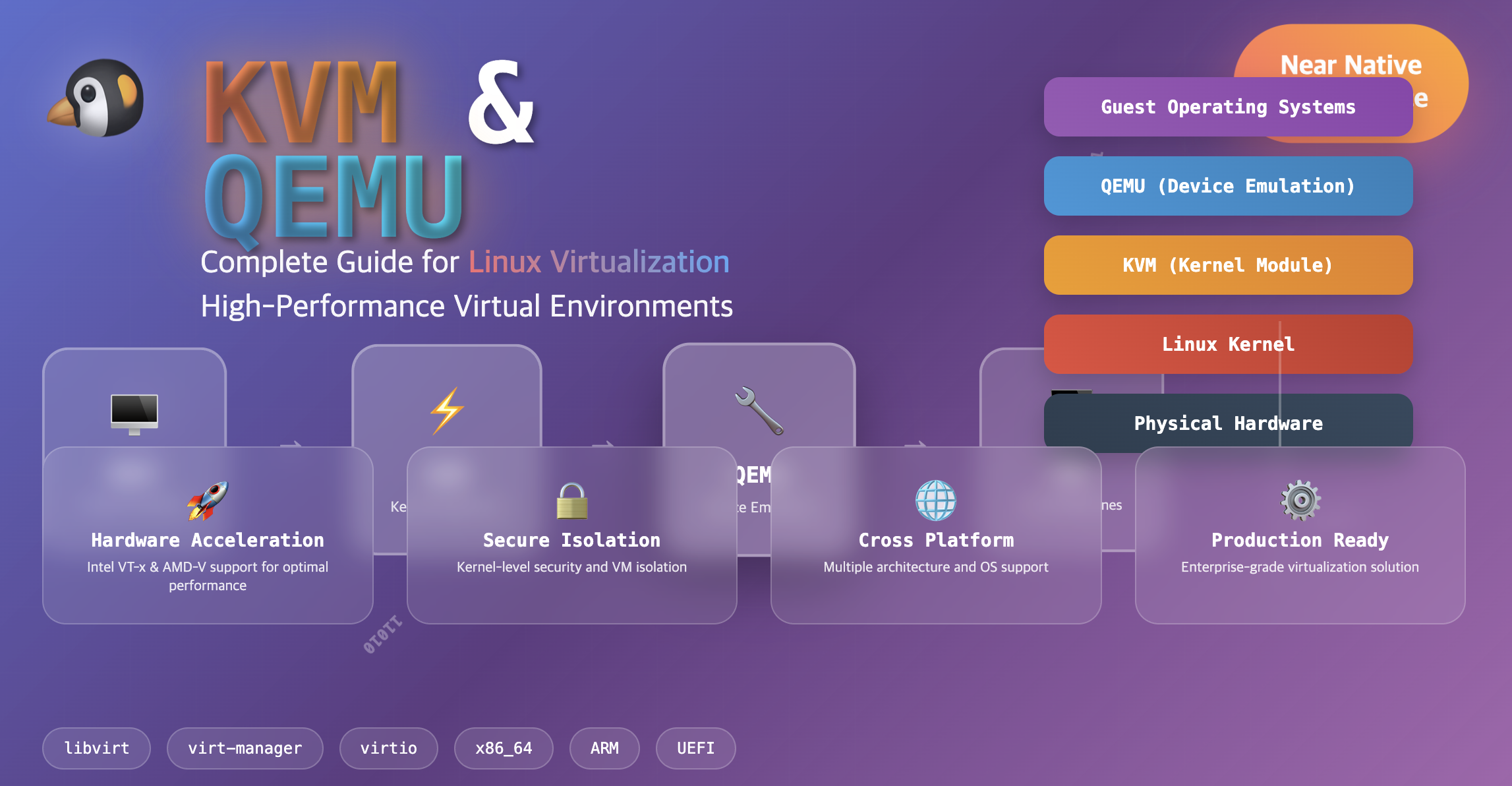
Today we’ll explore KVM and QEMU, two core technologies that implement virtualization in Linux environments. Generally, KVM and QEMU are used together and have a complementary relationship.
Both technologies are essential components of the Linux virtualization ecosystem, providing high-performance virtual machine execution and flexible hardware emulation capabilities.
This guide covers the fundamental concepts, differences, installation procedures, and practical usage scenarios for both KVM and QEMU.
What are KVM and QEMU?
Understanding the roles and characteristics of both technologies is crucial for implementing effective virtualization solutions.
KVM (Kernel-based Virtual Machine)
KVM is a virtualization module built into the Linux kernel that utilizes hardware virtualization technologies (Intel VT-x, AMD-V) in x86 processors to provide high-performance virtualization environments.
Core Concept
KVM transforms the Linux kernel into a hypervisor, enabling the execution of virtual machines with near-native performance.
Key Features of KVM
| Feature | Description |
|---|---|
| Kernel Integration | Operates as part of the Linux kernel (included in mainline kernel) |
| Hardware Acceleration | Leverages CPU virtualization extensions for optimal performance |
| Resource Management | Provides virtual CPU (VCPU), virtual memory, and I/O device virtualization |
| QEMU Integration | Works with QEMU to build complete virtual environments |
QEMU (Quick Emulator)
QEMU is an open-source emulator that provides software-based emulation of CPUs and peripheral devices.
It serves as the execution environment for virtual machines and offers enhanced virtualization performance when combined with KVM.
Core Concept
QEMU implements hardware environments in software, enabling execution across heterogeneous architectures and providing comprehensive device emulation.
Key Features of QEMU
| Feature | Description |
|---|---|
| Hardware Emulation | Supports emulation of CPU, network, disk controllers, and various hardware components |
| KVM Acceleration | Utilizes hardware acceleration when used with KVM for performance enhancement |
| Multi-Platform Support | Enables execution of Windows, macOS, and various operating systems |
| Architecture Flexibility | Supports cross-architecture emulation (x86, ARM, MIPS, PowerPC, etc.) |
Virtualization vs Emulation Differences
Understanding the distinction between virtualization and emulation is essential for choosing the right technology approach.
Comparison Overview
Same Architecture] B --> E[Guest OS 2
Same Architecture] C --> F[Guest OS 1
Different Architecture] C --> G[Guest OS 2
Different Architecture] style A fill:#f5f5f5,stroke:#333,stroke-width:1px style B fill:#a5d6a7,stroke:#333,stroke-width:1px style C fill:#64b5f6,stroke:#333,stroke-width:1px style D fill:#ffcc80,stroke:#333,stroke-width:1px style E fill:#ffcc80,stroke:#333,stroke-width:1px style F fill:#ce93d8,stroke:#333,stroke-width:1px style G fill:#ce93d8,stroke:#333,stroke-width:1px
Detailed Comparison
| Aspect | Virtualization | Emulation |
|---|---|---|
| Operation Method | Executes OS on actual hardware | Implements hardware environment in software |
| Performance | High-speed execution (near-native performance) | Lower performance (software translation required) |
| Hardware Requirements | Host and guest OS architectures must be identical | Host and guest OS architectures can be different |
| Representative Technologies | KVM, VMware, VirtualBox | QEMU (non-KVM mode) |
| Use Cases | Production servers, development environments | Cross-platform development, legacy system support |
- Virtualization: Up to 95% of native performance with hardware acceleration
- Emulation: 10-50% of native performance due to software translation overhead
- Hybrid Approach: KVM + QEMU combines the benefits of both technologies
KVM + QEMU Integration Benefits
Understanding why KVM and QEMU work better together than individually.
Role Distribution
KVM’s Role
- Hardware acceleration support for virtual machine (VM) execution
- CPU, memory, and I/O performance optimization
- Direct hardware access through kernel-level virtualization
- Security isolation between virtual machines
QEMU’s Role
- Software emulation when hardware virtualization is not supported
- Device and network emulation when used with KVM
- Hardware abstraction layer for diverse virtual devices
- Cross-architecture support for heterogeneous environments
KVM serves as the hypervisor while QEMU provides the virtualized hardware environment. This combination delivers both high performance and flexibility.
KVM + QEMU Installation and Usage Examples
Step-by-step guide for setting up a complete virtualization environment on Linux.
Installation Process
1️⃣ System Requirements Check
# Check CPU virtualization support
egrep -c '(vmx|svm)' /proc/cpuinfo

# Verify KVM module availability
lsmod | grep kvm

# Check if virtualization is enabled in BIOS
kvm-ok
2️⃣ KVM & QEMU Installation (Ubuntu/Debian)
# Update package repository
sudo apt update

# Install KVM, QEMU, and management tools
sudo apt install -y qemu-kvm libvirt-daemon-system libvirt-clients bridge-utils virt-manager

# Add user to libvirt group
sudo usermod -aG libvirt $USER
sudo usermod -aG kvm $USER

# Start and enable libvirt service
sudo systemctl start libvirtd
sudo systemctl enable libvirtd
3️⃣ CentOS/RHEL Installation
# Install virtualization packages
sudo yum install -y qemu-kvm libvirt virt-install virt-manager

# Start services
sudo systemctl start libvirtd
sudo systemctl enable libvirtd

# Configure firewall (if needed)
sudo firewall-cmd --add-service=libvirt --permanent
sudo firewall-cmd --reload
Virtual Machine Creation and Management
Creating a Virtual Machine
VM Management Commands
# List all virtual machines
virsh list --all

# Start a virtual machine
virsh start test-vm

# Connect to VM console
virsh console test-vm

# Shutdown VM gracefully
virsh shutdown test-vm

# Force stop VM
virsh destroy test-vm

# Remove VM
virsh undefine test-vm

# Get VM information
virsh dominfo test-vm
Advanced VM Configuration
# Clone an existing VM
virt-clone --original test-vm --name test-vm-clone --auto-clone

# Take a snapshot
virsh snapshot-create-as test-vm snapshot1 "First snapshot"

# List snapshots
virsh snapshot-list test-vm

# Revert to snapshot
virsh snapshot-revert test-vm snapshot1

# Edit VM configuration
virsh edit test-vm
Performance Optimization and Best Practices
Techniques for maximizing KVM/QEMU performance in production environments.
CPU Optimization
# Enable CPU host-passthrough for better performance
virsh edit test-vm
# Add: <cpu mode='host-passthrough'/>

# Set CPU topology to match host
# Add: <topology sockets='1' cores='2' threads='1'/>

# Enable NUMA if host supports it
# Add: <numa><cell id='0' cpus='0-1' memory='2097152'/></numa>
Memory Optimization
# Enable KSM (Kernel Same-page Merging) for memory efficiency
echo 1 | sudo tee /sys/kernel/mm/ksm/run

# Configure hugepages for better memory performance
echo 1024 | sudo tee /proc/sys/vm/nr_hugepages

# Add to VM configuration:
# <memoryBacking><hugepages/></memoryBacking>
Storage Optimization
# Use virtio drivers for better I/O performance
# In VM XML: <driver name='qemu' type='qcow2' cache='writeback'/>

# Create optimized disk image
qemu-img create -f qcow2 -o preallocation=metadata disk.qcow2 10G

# Convert existing disk to optimized format
qemu-img convert -f raw -O qcow2 -o preallocation=metadata source.img dest.qcow2
KVM vs QEMU Detailed Comparison
Comprehensive comparison to help choose the right approach for specific use cases.
Technical Comparison
| Comparison Item | KVM | QEMU |
|---|---|---|
| Primary Role | Hardware acceleration-based virtualization | CPU and hardware emulation |
| Performance | Near-native performance (90-95%) | Slower due to software translation (10-50%) |
| Architecture Support | x86_64, ARM, PowerPC (hardware-dependent) | Nearly all architectures supported |
| Primary Use Case | VM execution (virtual server operations) | Diverse OS execution (cross-platform) |
| Hardware Requirements | CPU virtualization extensions required | No special hardware requirements |
| Memory Overhead | Low (kernel-level execution) | Higher (userspace emulation) |
| Security Isolation | Hardware-assisted isolation | Software-based isolation |
Use Case Scenarios
- Production environments requiring high performance
- Server virtualization with same-architecture guests
- Cloud computing platforms and data centers
- Development environments mimicking production
- Cross-architecture development (ARM on x86, etc.)
- Legacy system support and old hardware emulation
- Educational purposes and system research
- Hardware without virtualization support
Troubleshooting Common Issues
Solutions for frequently encountered problems in KVM/QEMU environments.
Performance Issues
Problem: Slow VM Performance
# Check if KVM acceleration is enabled
lsmod | grep kvm

# Verify VM is using KVM acceleration
ps aux | grep qemu | grep -E "(kvm|accel)"

# Enable virtio drivers
virsh edit vm-name
# Ensure: <driver name='qemu' type='qcow2'/>
# And: <interface type='bridge'><model type='virtio'/></interface>
Problem: High CPU Usage
# Check CPU allocation
virsh vcpuinfo vm-name

# Optimize CPU configuration
virsh edit vm-name
# Set: <cpu mode='host-passthrough'/>
# Adjust: <vcpu placement='static'>2</vcpu>
Network Issues
Problem: VM Network Connectivity
# Check bridge configuration
brctl show

# Verify iptables rules
sudo iptables -L -n

# Test bridge connectivity
ping -c 3 192.168.122.1

# Restart network service
sudo systemctl restart libvirtd
Storage Issues
Problem: Disk Performance
# Check disk allocation policy
qemu-img info disk.qcow2

# Optimize disk image
qemu-img convert -f qcow2 -O qcow2 -o preallocation=metadata source.qcow2 optimized.qcow2

# Monitor disk I/O
iostat -x 1
Security Considerations
Essential security practices for KVM/QEMU deployments.
VM Isolation
# Enable SELinux/AppArmor for additional security
sudo setsebool -P virt_use_execmem 1

# Configure secure VM placement
virsh edit vm-name
# Add: <seclabel type='dynamic' model='selinux' relabel='yes'/>
Network Security
# Configure isolated networks
virsh net-define isolated-network.xml
virsh net-start isolated-network
virsh net-autostart isolated-network

# Implement firewall rules
sudo iptables -A FORWARD -i virbr1 -o virbr0 -j DROP
sudo iptables -A FORWARD -i virbr0 -o virbr1 -j DROP
Storage Security
# Enable disk encryption
qemu-img create -f qcow2 -o encrypt.format=luks,encrypt.key-secret=sec0 encrypted.qcow2 10G

# Set appropriate permissions
sudo chown root:kvm /var/lib/libvirt/images/*
sudo chmod 640 /var/lib/libvirt/images/*
Key Points
-
Technology Roles
- KVM: Kernel-based hypervisor providing hardware acceleration
- QEMU: User-space emulator providing device virtualization
- Combined: High-performance virtualization with flexible emulation
- Integration: Complementary technologies working together -
Performance Benefits
- KVM delivers near-native performance (90-95% efficiency)
- Hardware virtualization extensions (VT-x/AMD-V) essential
- QEMU provides cross-architecture compatibility
- Optimized configurations critical for production use -
Implementation Considerations
- Choose virtualization for production workloads
- Use emulation for cross-platform development
- Implement proper security and isolation measures
- Monitor and optimize performance regularly
Conclusion
KVM and QEMU represent essential components of the Linux virtualization ecosystem. KVM provides kernel-based hardware virtualization while QEMU offers comprehensive hardware emulation capabilities.
When used together, KVM and QEMU create high-performance virtualization environments that support diverse operating systems and hardware configurations. This combination enables organizations to build scalable, secure, and efficient virtual infrastructures.
Key Recommendations
- Use KVM for production environments requiring optimal performance
- Leverage QEMU for cross-platform development and testing
- Implement proper optimization for CPU, memory, and storage
- Enable hardware acceleration whenever possible for best performance
Future Trends
The virtualization landscape continues evolving with container technologies, microVMs, and cloud-native solutions. However, KVM and QEMU remain foundational technologies for enterprise virtualization and cloud computing platforms.

Comments