14 min to read
Terraformer: Reverse Engineering Infrastructure to Terraform
Transform existing cloud infrastructure into Terraform code with automated reverse engineering
Overview
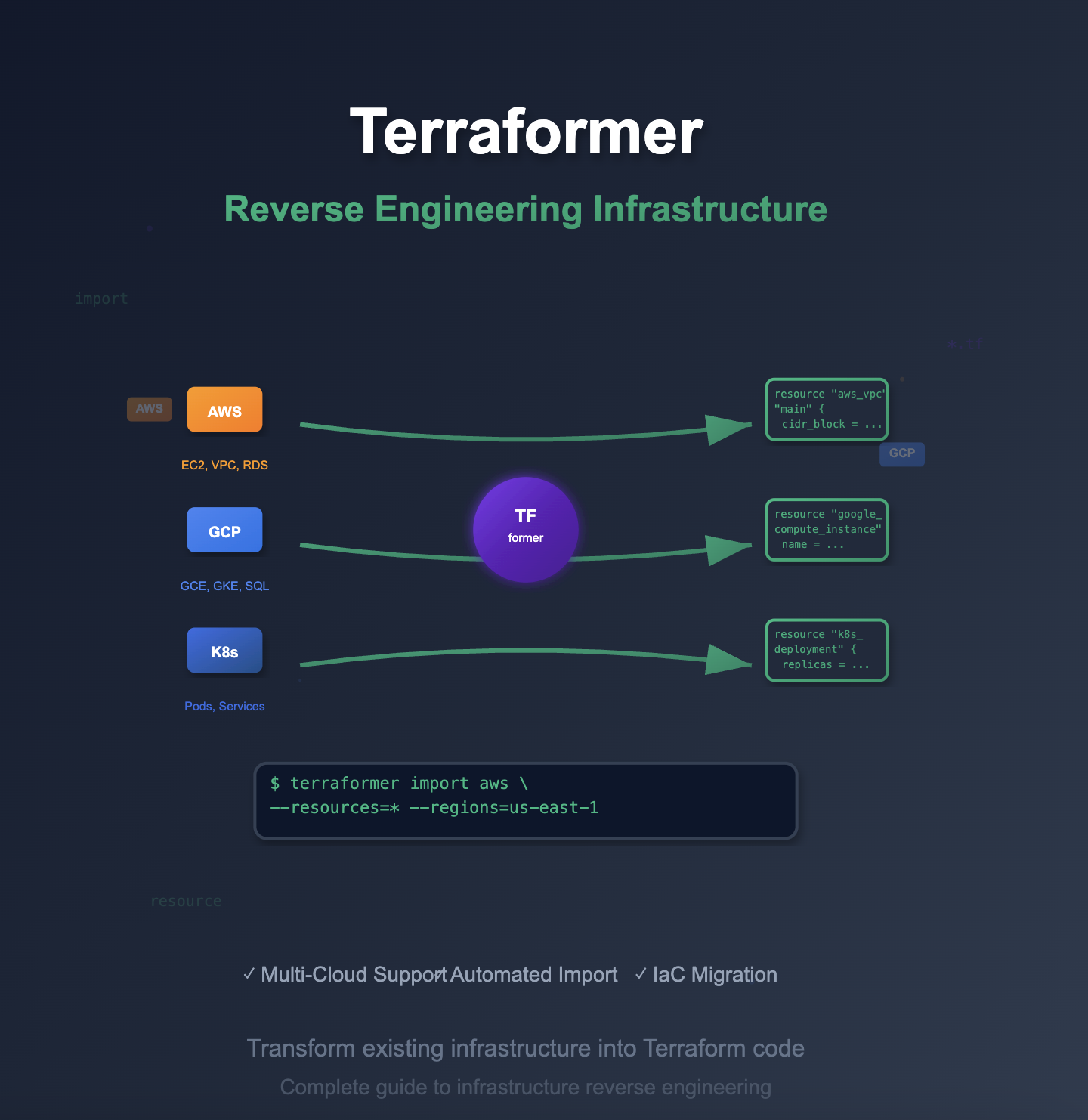
Terraformer is a revolutionary open-source tool that enables reverse engineering of existing cloud infrastructure into Terraform code.
Developed by Google Cloud Platform team, this powerful utility bridges the gap between manually created infrastructure and Infrastructure as Code (IaC) practices.
In modern cloud environments, organizations often face the challenge of retroactively applying IaC principles to existing infrastructure.
Terraformer solves this problem by automatically generating Terraform configurations from live cloud resources, enabling teams to bring legacy infrastructure under version control and automation.
This comprehensive guide explores Terraformer’s capabilities, installation procedures, and practical implementation strategies for transforming existing cloud infrastructure into maintainable, version-controlled Terraform code.
We’ll cover multi-cloud support, advanced import techniques, and best practices for successful infrastructure migration.
Terraformer supports major cloud providers including AWS, Google Cloud Platform, Azure, and Kubernetes, making it an essential tool for cloud infrastructure modernization and DevOps transformation initiatives.
What is Terraformer?
Terraformer is an open-source command-line tool that imports existing cloud infrastructure resources and generates corresponding Terraform code. Originally developed by the Waze SRE team at Google,
Terraformer has become the de facto standard for infrastructure reverse engineering.
Key Capabilities:
# Core Terraformer workflow
terraformer import [provider] --resources=* --regions=[region] --profile=[profile]

# Generated output structure
generated/
├── aws/
│   ├── vpc.tf
│   ├── ec2.tf
│   ├── rds.tf
│   ├── s3.tf
│   ├── provider.tf
│   ├── terraform.tfstate
│   └── variables.tf
Supported Providers and Resources:
AWS Resources (100+ types):
- VPC and Networking (VPC, Subnets, Route Tables, Security Groups)
- Compute (EC2, Auto Scaling Groups, Load Balancers)
- Storage (S3, EBS, EFS)
- Database (RDS, DynamoDB, ElastiCache)
- IAM (Users, Roles, Policies)
- Container Services (ECS, EKS, ECR)
- Monitoring (CloudWatch, CloudTrail)
Google Cloud Platform:
- Compute Engine and Instance Groups
- Cloud Storage and Persistent Disks
- Cloud SQL and Bigtable
- Kubernetes Engine (GKE)
- Identity and Access Management
Kubernetes:
- Deployments, Services, ConfigMaps
- Ingress Controllers, Persistent Volumes
- RBAC Resources, Custom Resource Definitions
Azure (Beta Support):
- Virtual Machines and Scale Sets
- Storage Accounts and Disks
- Network Security Groups and Load Balancers
Installation and Setup
1. System Requirements
# Prerequisites
- Linux/macOS/Windows (WSL supported)
- Terraform >= 0.13
- Cloud provider CLI tools configured
- Appropriate cloud provider credentials
2. Installation Methods
Method 1: Binary Download (Recommended)
# Set provider variable
export PROVIDER=aws  # Options: aws, google, kubernetes, all

# Download latest release
curl -LO "https://github.com/GoogleCloudPlatform/terraformer/releases/download/$(curl -s https://api.github.com/repos/GoogleCloudPlatform/terraformer/releases/latest | grep tag_name | cut -d '"' -f 4)/terraformer-${PROVIDER}-linux-amd64"

# Make executable and install
chmod +x terraformer-${PROVIDER}-linux-amd64
sudo mv terraformer-${PROVIDER}-linux-amd64 /usr/local/bin/terraformer

# Verify installation
terraformer version
Method 2: Multiple Providers
# Install all providers
export PROVIDER=all
curl -LO "https://github.com/GoogleCloudPlatform/terraformer/releases/download/$(curl -s https://api.github.com/repos/GoogleCloudPlatform/terraformer/releases/latest | grep tag_name | cut -d '"' -f 4)/terraformer-${PROVIDER}-linux-amd64"
chmod +x terraformer-${PROVIDER}-linux-amd64
sudo mv terraformer-${PROVIDER}-linux-amd64 /usr/local/bin/terraformer

# Separate provider installations
providers=("aws" "google" "kubernetes")
for provider in "${providers[@]}"; do
    export PROVIDER=$provider
    curl -LO "https://github.com/GoogleCloudPlatform/terraformer/releases/download/$(curl -s https://api.github.com/repos/GoogleCloudPlatform/terraformer/releases/latest | grep tag_name | cut -d '"' -f 4)/terraformer-${PROVIDER}-linux-amd64"
    chmod +x terraformer-${PROVIDER}-linux-amd64
    sudo mv terraformer-${PROVIDER}-linux-amd64 /usr/local/bin/terraformer-${provider}
done
Method 3: Package Managers
# macOS with Homebrew
brew install terraformer

# Go install (requires Go 1.16+)
go install github.com/GoogleCloudPlatform/terraformer/cmd/terraformer@latest

# Docker usage
docker run --rm -it -v $(pwd):/app -v ~/.aws:/root/.aws quay.io/terraformer/terraformer:latest import aws --resources=vpc --regions=us-east-1
3. Provider Configuration
AWS Configuration:
# Download AWS provider
terraform_version="1.5.0"
provider_version="5.0.0"

curl -LO "https://releases.hashicorp.com/terraform-provider-aws/${provider_version}/terraform-provider-aws_${provider_version}_linux_amd64.zip"

# Create provider directory
mkdir -p ~/.terraform.d/plugins/linux_amd64

# Extract provider
unzip terraform-provider-aws_${provider_version}_linux_amd64.zip -d ~/.terraform.d/plugins/linux_amd64/

# Set AWS credentials
export AWS_PROFILE=your-profile
export AWS_REGION=us-east-1

# Alternative: Configure via credentials file
aws configure --profile terraformer-import
Google Cloud Configuration:
# Download GCP provider
provider_version="4.70.0"
curl -LO "https://releases.hashicorp.com/terraform-provider-google/${provider_version}/terraform-provider-google_${provider_version}_linux_amd64.zip"

unzip terraform-provider-google_${provider_version}_linux_amd64.zip -d ~/.terraform.d/plugins/linux_amd64/

# Set GCP credentials
export GOOGLE_APPLICATION_CREDENTIALS="/path/to/service-account-key.json"
export GOOGLE_PROJECT="your-project-id"
export GOOGLE_REGION="us-central1"

# Alternative: Use gcloud CLI
gcloud auth application-default login
Basic Usage and Import Strategies
1. Command Structure and Options
# Basic import syntax
terraformer import [provider] [options]

# Common options
--resources=              # Comma-separated list of resources or '*' for all
--regions=               # Comma-separated list of regions
--profile=               # AWS profile to use
--path-pattern=          # Output path pattern
--connect=               # Generate provider connections
--compact=               # Compact output format
--exclude=               # Resources to exclude
--filter=                # Resource filters
--retry-sleep-ms=        # Retry sleep duration
--retry-number=          # Number of retries
2. Resource-Specific Imports
VPC and Networking Import:
Compute Resources Import:
Database Import:
3. Advanced Import Patterns
Multi-Environment Import:
Selective Resource Import:
Provider-Specific Implementation
1. AWS Implementation
Complete AWS Infrastructure Import:
AWS Resource-Specific Examples:
2. Google Cloud Platform Implementation
GCP Project Import:
GCP Resource Examples:
3. Kubernetes Implementation
Complete Cluster Import:
Kubernetes Resource Examples:
Post-Import Processing and Optimization
1. Provider Configuration Fixes
AWS Provider Standardization:
2. Resource Refactoring and Organization
Automated Resource Organization:
#!/bin/bash
# Organize imported resources by service

# Create service-specific directories
mkdir -p {networking,compute,database,storage,security,monitoring}

# Move resources to appropriate directories
mv vpc.tf subnet.tf route_table*.tf internet_gateway.tf nat_gateway.tf networking/
mv ec2_instance.tf autoscaling*.tf launch_template.tf compute/
mv rds*.tf dynamodb*.tf elasticache*.tf database/
mv s3*.tf ebs*.tf efs*.tf storage/
mv security_group.tf iam*.tf security/
mv cloudwatch*.tf monitoring/

# Create main.tf in each directory
for dir in networking compute database storage security monitoring; do
    cd $dir

    cat > main.tf << EOF
# ${dir^} Resources
# Imported via Terraformer on $(date)

locals {
  ${dir}_tags = merge(var.common_tags, {
    Service = "${dir}"
  })
}
EOF

    cd ..
done
Resource Name Standardization:
3. Advanced State Management
State File Organization:
#!/bin/bash
# Organize state files by environment and service

environments=("development" "staging" "production")
services=("networking" "compute" "database" "storage")

for env in "${environments[@]}"; do
    for service in "${services[@]}"; do
        mkdir -p "states/${env}/${service}"

        # Create backend configuration
        cat > "states/${env}/${service}/backend.tf" << EOF
terraform {
  backend "s3" {
    bucket = "terraform-state-${env}"
    key    = "${service}/terraform.tfstate"
    region = "us-east-1"

    dynamodb_table = "terraform-locks-${env}"
    encrypt        = true
  }
}
EOF

        # Move relevant resources
        case $service in
            "networking")
                mv vpc*.tf subnet*.tf route*.tf igw*.tf nat*.tf sg*.tf "states/${env}/${service}/"
                ;;
            "compute")
                mv ec2*.tf autoscaling*.tf launch*.tf lb*.tf "states/${env}/${service}/"
                ;;
            "database")
                mv rds*.tf dynamodb*.tf elasticache*.tf "states/${env}/${service}/"
                ;;
            "storage")
                mv s3*.tf ebs*.tf efs*.tf "states/${env}/${service}/"
                ;;
        esac
    done
done
State Import Validation:
#!/bin/bash
# Validate imported state

cd generated/aws

echo "Validating Terraform configuration..."
terraform validate

echo "Planning changes to identify drift..."
terraform plan -detailed-exitcode

if [ $? -eq 2 ]; then
    echo "WARNING: Drift detected in imported resources"
    terraform plan -out=drift.plan

    echo "Review the plan file and apply if needed:"
    echo "terraform apply drift.plan"
fi

echo "Checking for unused resources..."
terraform-docs markdown table . > README.md

echo "State validation complete."
Production Workflow Integration
1. CI/CD Pipeline Integration
GitHub Actions Workflow:
2. Infrastructure Drift Detection
Automated Drift Detection:
3. Compliance and Security Scanning
Security Validation Pipeline:
Advanced Use Cases and Patterns
1. Multi-Cloud Infrastructure Migration
Cross-Cloud Resource Mapping:
2. Infrastructure as Code Modernization
Legacy Infrastructure Assessment:
Troubleshooting and Best Practices
1. Common Issues and Solutions
Provider Authentication Issues:
2. Performance Optimization
Large-Scale Import Optimization:
3. Best Practices and Guidelines
Production-Ready Import Workflow:
# terraformer-best-practices.yml
# Comprehensive best practices for Terraformer usage

pre_import_checklist:
  authentication:
    - Verify cloud provider credentials
    - Test API access and permissions
    - Configure appropriate profiles/contexts

  environment_preparation:
    - Install latest Terraformer version
    - Download required provider plugins
    - Set up proper directory structure
    - Configure version control

  planning:
    - Identify target resources and scope
    - Plan resource organization strategy
    - Define naming conventions
    - Prepare import filters if needed

import_execution:
  resource_selection:
    - Start with core infrastructure (VPC, subnets)
    - Import compute resources next
    - Add storage and database resources
    - Include monitoring and security last

  incremental_approach:
    - Import by environment (dev → staging → prod)
    - Import by service or application
    - Import by resource type in dependency order
    - Validate each import before proceeding

  error_handling:
    - Enable retry mechanisms
    - Log all import operations
    - Implement failure recovery procedures
    - Monitor for rate limiting

post_import_processing:
  immediate_actions:
    - Fix provider configurations
    - Standardize resource naming
    - Organize files by service/environment
    - Validate Terraform syntax

  optimization:
    - Remove redundant resources
    - Consolidate similar configurations
    - Extract common values to variables
    - Implement proper tagging

  security_review:
    - Scan for sensitive data in configs
    - Remove hardcoded credentials
    - Implement proper secret management
    - Review IAM permissions and policies

ongoing_maintenance:
  state_management:
    - Configure remote state storage
    - Implement state locking
    - Set up state backup procedures
    - Monitor for state drift

  governance:
    - Implement code review processes
    - Set up automated validation
    - Create documentation
    - Train team members

common_pitfalls:
  - Importing too many resources at once
  - Not configuring proper authentication
  - Ignoring resource dependencies
  - Not validating imported configurations
  - Failing to organize imported files
  - Not removing sensitive information
  - Skipping security scans
  - Not planning for ongoing maintenance
Conclusion
Terraformer represents a paradigm shift in infrastructure management, enabling organizations to bridge the gap between manually created infrastructure and modern Infrastructure as Code practices.
This powerful tool transforms the traditionally complex process of infrastructure reverse engineering into an automated, repeatable workflow.
Key Success Factors:
- Strategic Planning: Careful resource selection and import sequencing
- Authentication Management: Proper credential configuration and permissions
- Post-Import Processing: Standardization and optimization of generated code
- Security Integration: Scanning and remediation of imported configurations
- Workflow Automation: CI/CD pipeline integration for ongoing maintenance
Operational Benefits:
- Accelerated IaC Adoption: Reduces migration time from months to days
- Reduced Risk: Maintains existing infrastructure while adding version control
- Improved Governance: Enables policy-as-code and compliance monitoring
- Enhanced Collaboration: Provides common infrastructure language across teams
- Cost Optimization: Identifies modernization and rightsizing opportunities
Enterprise Implementation Strategy:
- Develop comprehensive import policies and procedures
- Establish automated validation and security scanning pipelines
- Create modular, reusable infrastructure patterns from imported code
- Implement progressive rollout across environments and services
- Build expertise through training and knowledge sharing initiatives
Terraformer empowers organizations to modernize their infrastructure management practices without disrupting existing operations.
By transforming legacy infrastructure into maintainable, version-controlled Terraform code, teams can embrace DevOps principles, improve operational efficiency, and accelerate innovation while maintaining the stability and reliability of their production environments.
“Terraformer transforms infrastructure archaeology into infrastructure engineering, enabling teams to build upon existing foundations while embracing modern operational practices.”

Comments