25 min to read
Ansible - Complete Guide to Infrastructure Automation and Galaxy Platform
Master configuration management from basic installation to advanced Galaxy ecosystem
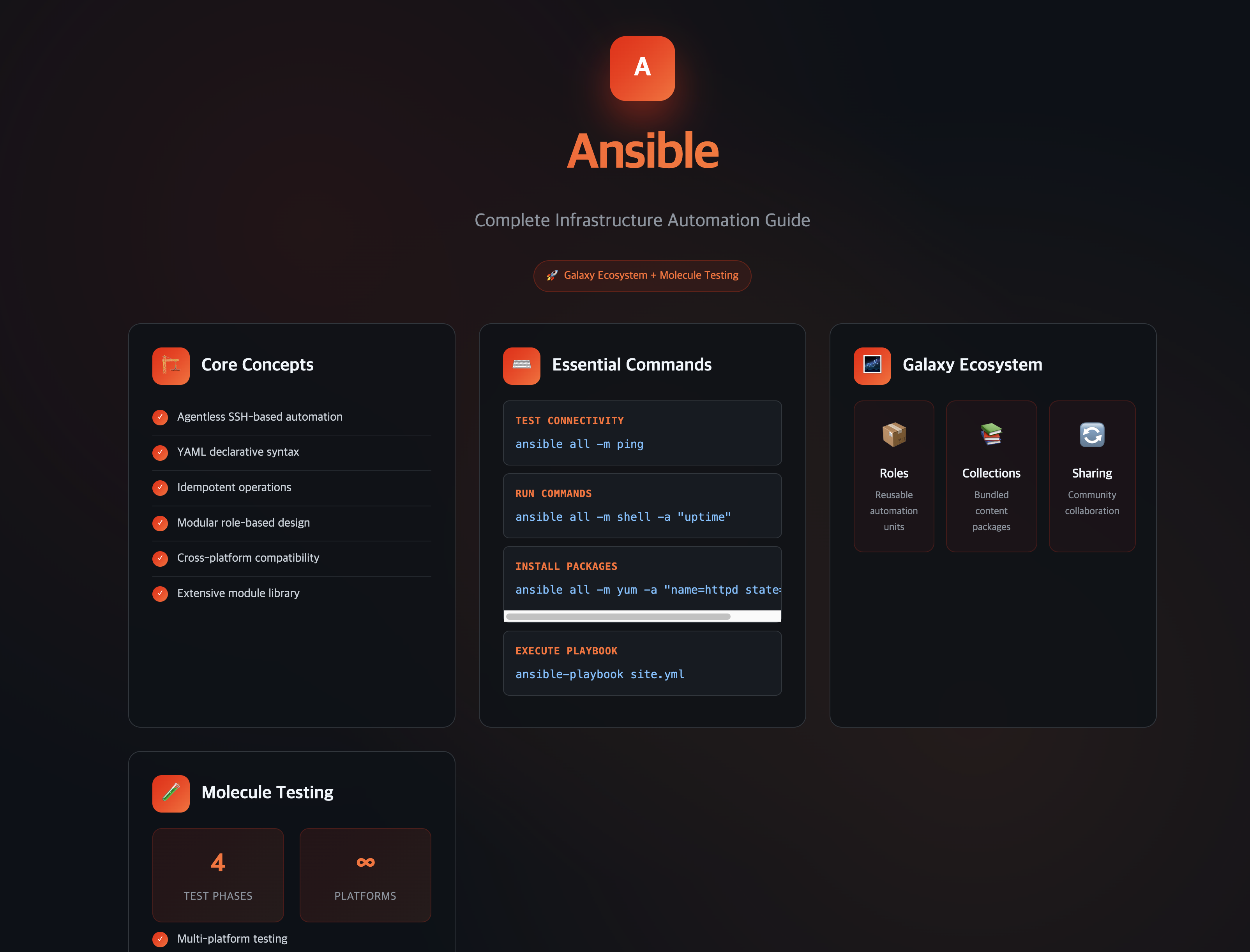
Overview
Ansible is a powerful open-source automation platform that enables Infrastructure as Code (IaC) through simple, human-readable YAML syntax.
This comprehensive guide covers everything from basic Ansible installation and usage to advanced topics including Ansible Galaxy, Roles, Collections, and testing with Molecule.
Ansible transforms complex infrastructure management from manual, error-prone processes into automated, reproducible, and scalable operations.
By leveraging SSH-based agentless architecture, it provides seamless automation across diverse environments without requiring additional software installation on managed nodes.
This guide demonstrates how Ansible’s ecosystem, particularly Ansible Galaxy, enables sharing and reusing automation content across teams and the broader DevOps community,
significantly accelerating infrastructure development and maintaining consistency across deployments.
Key Learning Objectives
- Fundamental Concepts: Understanding Ansible architecture, terminology, and core principles
- Installation & Setup: Complete environment configuration including SSH key management
- Basic Operations: Essential commands for server management and automation
- Ansible Galaxy: Leveraging community resources and publishing your own content
- Advanced Patterns: Roles, Collections, and modular automation design
- Testing Framework: Implementing reliable automation with Molecule testing
Ansible Fundamentals
Understanding Ansible’s core concepts and architecture is essential for effective infrastructure automation.
What is Ansible?
Ansible is an open-source automation tool that enables Infrastructure as Code (IaC) through declarative configuration management.
Unlike traditional approaches requiring manual server configuration, Ansible provides automated infrastructure provisioning, configuration, and management.
Core Characteristics
1️⃣ Agentless Architecture
- No agent installation required on managed nodes
- Uses SSH protocol for secure remote communication
- Reduces complexity and security overhead
2️⃣ Ease of Use
- YAML-based Playbooks for human-readable automation
- Minimal learning curve for system administrators
- Declarative syntax focusing on desired state
3️⃣ Idempotency
- Consistent results regardless of execution frequency
- Safe to run multiple times without side effects
- Prevents configuration drift and maintains system integrity
Essential Terminology
| Component | Description |
|---|---|
| Control Node | Server where Ansible is installed and commands are executed |
| Managed Nodes | Remote servers managed by Ansible through SSH |
| Inventory | File listing managed nodes and their groupings (/etc/ansible/hosts) |
| Playbooks | YAML files containing automation scripts and tasks |
| Modules | Reusable units of code that perform specific functions |
| Tasks | Individual operations executed by modules within playbooks |
| Roles | Modular, reusable collections of tasks, variables, and files |
| Collections | Distribution format containing multiple Ansible content types |
Installation and Initial Setup
Configure a complete Ansible environment from installation through SSH authentication setup.
Ansible Installation Methods
CentOS/RHEL Installation
# Add EPEL repository
sudo yum install -y epel-release

# Verify repository addition
sudo yum repolist

# Install Ansible
sudo yum install -y ansible

# Verify installation
ansible --version
Ubuntu/Debian Installation
# Update package index
sudo apt update

# Install software-properties-common
sudo apt install -y software-properties-common

# Add Ansible official repository
sudo add-apt-repository --yes --update ppa:ansible/ansible

# Install Ansible
sudo apt install -y ansible

# Verify installation
ansible --version
Alternative Installation Methods
# Using pip (Python package manager)
pip install ansible

# Using Homebrew (macOS)
brew install ansible

# Using DNF (Fedora)
sudo dnf install ansible
SSH Key-Based Authentication Setup
Ansible relies on SSH for secure communication with managed nodes. Configure passwordless authentication for seamless automation.
Generate SSH Key Pair
# Generate SSH key pair
ssh-keygen -t rsa -b 4096 -C "ansible-automation"

# Output will show key generation progress:
# Generating public/private rsa key pair.
# Enter file in which to save the key (/home/username/.ssh/id_rsa): [Press Enter]
# Enter passphrase (empty for no passphrase): [Press Enter for passwordless]
# Enter same passphrase again: [Press Enter]
Distribute Public Key to Managed Nodes
# Copy SSH key to each managed node
ssh-copy-id [username]@[managed-node-ip]

# Example:
ssh-copy-id admin@192.168.1.10
ssh-copy-id admin@192.168.1.11
ssh-copy-id admin@192.168.1.12

# Verify passwordless authentication
ssh admin@192.168.1.10
# Should connect without password prompt
Inventory Configuration
Define managed nodes and their organization in the Ansible inventory file.
Basic Inventory Setup
# Edit the main inventory file
sudo vi /etc/ansible/hosts
# /etc/ansible/hosts - Basic inventory configuration

# Individual hosts
web1.example.com
web2.example.com
192.168.1.10

# Grouped hosts
[webservers]
web1.example.com
web2.example.com
192.168.1.10
192.168.1.11

[databases]
db1.example.com
db2.example.com
192.168.1.20
192.168.1.21

[production:children]
webservers
databases

# Host variables
[webservers:vars]
http_port=80
maxRequestsPerChild=808

[databases:vars]
mysql_port=3306
mysql_root_password=secret
Advanced Inventory with Variables
# inventory.yml - YAML format inventory
all:
  children:
    webservers:
      hosts:
        web1.example.com:
          ansible_host: 192.168.1.10
          ansible_user: admin
          http_port: 80
        web2.example.com:
          ansible_host: 192.168.1.11
          ansible_user: admin
          http_port: 8080
      vars:
        ansible_ssh_private_key_file: ~/.ssh/id_rsa

    databases:
      hosts:
        db1.example.com:
          ansible_host: 192.168.1.20
          mysql_port: 3306
        db2.example.com:
          ansible_host: 192.168.1.21
          mysql_port: 3307
      vars:
        ansible_user: dbadmin
Connectivity Verification
Test Ansible connectivity to all managed nodes using the ping module.
# Test connectivity to all hosts
ansible all -m ping

# Expected output:
# web1.example.com | SUCCESS => {
#     "ansible_facts": {
#         "discovered_interpreter_python": "/usr/bin/python3"
#     },
#     "changed": false,
#     "ping": "pong"
# }

# Test specific groups
ansible webservers -m ping
ansible databases -m ping

# Test with custom inventory file
ansible all -i inventory.yml -m ping
Essential Ansible Commands
Master fundamental Ansible operations for effective infrastructure management.
Command Structure and Syntax
Basic Command Format
ansible [target] -m [module] -a "[module_arguments]" [options]
Parameters:
target: Hosts or groups from inventory (all, webservers, specific hosts)-m: Module to execute-a: Arguments passed to the moduleoptions: Additional command-line options
Core Modules and Operations
System Information Gathering
# Check system uptime
ansible all -m shell -a "uptime"

# Gather system facts
ansible all -m setup

# Check disk usage
ansible all -m shell -a "df -h"

# Monitor memory usage
ansible all -m shell -a "free -h"

# Check running processes
ansible all -m shell -a "ps aux | head -10"

# Verify network connectivity
ansible all -m shell -a "netstat -tlnp"
File and Directory Management
# Copy files to managed nodes
ansible all -m copy -a "src=/local/path/file.txt dest=/remote/path/file.txt"

# Copy with ownership and permissions
ansible all -m copy -a "src=config.conf dest=/etc/app/config.conf owner=app group=app mode=0644"

# Create directories
ansible all -m file -a "path=/opt/application state=directory mode=0755"

# Create symbolic links
ansible all -m file -a "src=/opt/app/current dest=/opt/app/live state=link"

# Remove files or directories
ansible all -m file -a "path=/tmp/tempfile state=absent"

# Template file deployment (requires template file)
ansible all -m template -a "src=nginx.conf.j2 dest=/etc/nginx/nginx.conf"
User and Group Management
# Create user accounts
ansible all -m user -a "name=appuser shell=/bin/bash createhome=yes"

# Create user with specific UID and groups
ansible all -m user -a "name=devuser uid=1001 groups=wheel,docker shell=/bin/bash"

# Set user password (encrypted)
ansible all -m user -a "name=appuser password=$6$rounds=656000$salt$hash"

# Remove user accounts
ansible all -m user -a "name=olduser state=absent remove=yes"

# Create groups
ansible all -m group -a "name=developers gid=2000 state=present"
Package Management
# Install packages (CentOS/RHEL)
ansible all -m yum -a "name=httpd state=present"

# Install multiple packages
ansible all -m yum -a "name=httpd,mysql-server,php state=present"

# Install packages (Ubuntu/Debian)
ansible all -m apt -a "name=apache2 state=present update_cache=yes"

# Install specific package versions
ansible all -m yum -a "name=nginx-1.18.0 state=present"

# Remove packages
ansible all -m yum -a "name=old-package state=absent"

# Update all packages
ansible all -m yum -a "name='*' state=latest"
Service Management
# Start and enable services
ansible all -m systemd -a "name=httpd state=started enabled=yes"

# Stop services
ansible all -m systemd -a "name=httpd state=stopped"

# Restart services
ansible all -m systemd -a "name=httpd state=restarted"

# Reload service configurations
ansible all -m systemd -a "name=nginx state=reloaded"

# Check service status
ansible all -m shell -a "systemctl status httpd"
Advanced Command Operations
Privilege Escalation
# Execute commands with sudo
ansible all -m shell -a "systemctl restart httpd" --become

# Specify sudo user
ansible all -m shell -a "whoami" --become --become-user=root

# Use custom privilege escalation method
ansible all -m shell -a "id" --become --become-method=su
Variable Usage
# Pass variables via command line
ansible all -m shell -a "echo " --extra-vars "custom_var=value"

# Use inventory variables
ansible webservers -m template -a "src=index.html.j2 dest=/var/www/html/index.html"

# Override inventory variables
ansible all -m debug -a "var=ansible_os_family" --extra-vars "ansible_os_family=RedHat"
Parallel Execution Control
# Limit concurrent connections
ansible all -m ping --forks=5

# Run against specific number of hosts
ansible all -m shell -a "uptime" --limit=2

# Run against specific hosts
ansible all -m ping --limit="web1.example.com,db1.example.com"

# Exclude specific hosts
ansible all -m ping --limit='all:!web2.example.com'
Ansible Galaxy Ecosystem
Explore Ansible Galaxy, the community hub for sharing and discovering automation content.
Introduction to Ansible Galaxy
Ansible Galaxy is the official repository for Ansible content, providing a platform for sharing, discovering, and managing Roles and Collections. It serves as the central hub for the Ansible community, enabling developers to collaborate and reuse automation solutions across diverse environments.
Key Benefits
- Community Collaboration: Access thousands of pre-built automation solutions
- Quality Assurance: Community-tested and reviewed content
- Version Management: Semantic versioning for reliable dependency management
- Documentation: Comprehensive guides and examples for each component
- Integration: Seamless integration with CI/CD pipelines and development workflows
Understanding Roles vs Collections
Ansible Roles
Roles are modular units that encapsulate related tasks, variables, files, and handlers for specific automation objectives. They promote reusability, maintainability, and organization of Ansible content.
Role Directory Structure
ansible_kubectl_krew/
├── LICENSE
├── README.md
├── defaults/
│   └── main.yml          # Default variables
├── files/                # Static files for deployment
├── handlers/
│   └── main.yml          # Event-driven tasks
├── meta/
│   └── main.yml          # Role metadata and dependencies
├── molecule/             # Testing framework
│   └── default/
│       ├── converge.yml  # Test playbook
│       ├── molecule.yml  # Test configuration
│       └── verify.yml    # Verification tests
├── tasks/
│   └── main.yml          # Main task definitions
├── templates/
│   └── bashrc_extensions.j2  # Jinja2 templates
└── vars/
    └── main.yml          # Role-specific variables
Role Creation
# Create new role structure
ansible-galaxy role init test-somaz

# Generated structure:
# test-somaz/
# ├── README.md
# ├── defaults/
# │   └── main.yml
# ├── files/
# ├── handlers/
# │   └── main.yml
# ├── meta/
# │   └── main.yml
# ├── tasks/
# │   └── main.yml
# ├── templates/
# ├── tests/
# │   ├── inventory
# │   └── test.yml
# └── vars/
#     └── main.yml
Ansible Collections
Collections are distribution formats that bundle multiple Ansible content types including playbooks, roles, modules, and plugins. They provide comprehensive automation solutions with dependency management and versioning.
Collection Directory Structure
ansible-k8s-iac-tool/
├── LICENSE
├── README.md
├── galaxy.yml            # Collection metadata
├── group_vars/
│   └── all/
│       └── vars.yml
├── meta/
│   └── runtime.yml       # Runtime requirements
├── molecule/             # Testing configuration
│   └── default/
│       ├── converge.yml
│       ├── molecule.yml
│       └── verify.yml
├── roles/                # Multiple roles
│   ├── install_helm/
│   ├── install_kubectl/
│   ├── install_terraform/
│   └── setup_bashrc/
└── templates/
    └── bashrc_extensions.j2
Collection Creation
# Error: Invalid naming format
ansible-galaxy collection init test_somaz
# ERROR! Invalid collection name 'test_somaz',
# name must be in the format <namespace>.<collection>

# Correct: namespace.collection format
ansible-galaxy collection init somaz94.test_somaz

# Generated structure:
# somaz94/
# └── test_somaz/
#     ├── README.md
#     ├── docs/
#     ├── galaxy.yml
#     ├── plugins/
#     │   └── README.md
#     └── roles/
Galaxy Configuration and Authentication
API Token Generation
Access Ansible Galaxy features by generating an API token for authentication.
- Navigate to Ansible Galaxy: Visit galaxy.ansible.com
- Access Collections: Go to Collections section
- Generate Token: Navigate to API Token → Token Load
- Copy Token: Save the generated token securely
- Store API tokens securely and never commit them to version control
- Use environment variables or secure vaults for token management
- Rotate tokens regularly for enhanced security
- Limit token permissions to required operations only
Role and Collection Management
Master the complete lifecycle of Ansible Galaxy content from development to publication.
Role Development and Publishing
Role Upload Process
# Upload role to Ansible Galaxy
ansible-galaxy import somaz94 ansible_kubectl_krew --token YOUR_API_TOKEN

# Expected output:
# Successfully submitted import request 2052090589176677512243288545243636178
# running
# role imported successfully

# Verify role availability
ansible-galaxy search ansible_kubectl_krew

# Install role from Galaxy
ansible-galaxy role install somaz94.ansible_kubectl_krew
Role Management Operations
# List installed roles
ansible-galaxy role list

# Install specific role version
ansible-galaxy role install somaz94.ansible_kubectl_krew,1.0.0

# Install roles from requirements file
ansible-galaxy role install -r requirements.yml

# Remove role
ansible-galaxy role remove somaz94.ansible_kubectl_krew

# Delete role from Galaxy (requires web interface)
ansible-galaxy delete somaz94 ansible_kubectl_krew --token YOUR_API_TOKEN
Requirements File for Roles
# requirements.yml
---
roles:
  # Install from Galaxy
  - name: somaz94.ansible_kubectl_krew
    version: "1.0.0"

  # Install from Git repository
  - name: custom-role
    src: https://github.com/username/custom-role.git
    version: main

  # Install from tarball
  - name: archive-role
    src: https://example.com/role.tar.gz
Collection Development and Publishing
Collection Build Process
Collections require building before publication, unlike roles which are imported directly.
# Navigate to collection directory
cd ansible-k8s-iac-tool

# Build collection
ansible-galaxy collection build

# Output:
# Created collection for somaz94.ansible_k8s_iac_tool at
# /path/to/somaz94-ansible_k8s_iac_tool-1.1.5.tar.gz
Collection Publishing
Collection Installation and Management
# Install collection from Galaxy
ansible-galaxy collection install somaz94.ansible_k8s_iac_tool

# Install specific version
ansible-galaxy collection install somaz94.ansible_k8s_iac_tool:1.1.5

# Install from requirements file
ansible-galaxy collection install -r requirements.yml

# List installed collections
ansible-galaxy collection list

# Upgrade collections
ansible-galaxy collection install somaz94.ansible_k8s_iac_tool --upgrade
Collection Requirements File
# requirements.yml
---
collections:
  # Install from Galaxy
  - name: somaz94.ansible_k8s_iac_tool
    version: ">=1.1.0"

  # Install from Git repository
  - name: https://github.com/username/collection.git
    type: git
    version: main

  # Install from source
  - name: community.general
    source: https://galaxy.ansible.com
Galaxy Metadata Configuration
Role Metadata (meta/main.yml)
# meta/main.yml for roles
---
galaxy_info:
  author: somaz94
  description: Install and configure kubectl and krew
  company: "Example Company"
  license: MIT

  min_ansible_version: "2.9"

  platforms:
    - name: Ubuntu
      versions:
        - focal
        - jammy
    - name: EL
      versions:
        - "8"
        - "9"

  galaxy_tags:
    - kubernetes
    - kubectl
    - krew
    - devops
    - automation

dependencies: []
Collection Metadata (galaxy.yml)
# galaxy.yml for collections
---
namespace: somaz94
name: ansible_k8s_iac_tool
version: 1.1.5

readme: README.md
description: >
  Comprehensive collection for Kubernetes and infrastructure automation tools
  including kubectl, helm, terraform, and various development utilities.

authors:
  - somaz94 <somaz@example.com>

license:
  - MIT

tags:
  - kubernetes
  - infrastructure
  - automation
  - devops
  - terraform
  - helm

dependencies:
  community.general: ">=3.0.0"

repository: https://github.com/somaz94/ansible-k8s-iac-tool
documentation: https://github.com/somaz94/ansible-k8s-iac-tool/blob/main/README.md
homepage: https://github.com/somaz94/ansible-k8s-iac-tool
issues: https://github.com/somaz94/ansible-k8s-iac-tool/issues

build_ignore:
  - "*.tar.gz"
  - ".git"
  - ".github"
  - ".gitignore"
  - "molecule"
  - "tests"
Testing with Molecule
Implement comprehensive testing for Ansible content using the Molecule testing framework.
Molecule Framework Overview
Molecule is an open-source testing framework designed for developing and testing Ansible roles and collections. It provides multi-instance, multi-platform testing capabilities with integration for various testing frameworks and CI/CD platforms.
Key Features
- Multi-Platform Testing: Support for various operating systems and distributions
- Multiple Drivers: Docker, Vagrant, Podman, and cloud provider integration
- Parallel Execution: Concurrent testing across multiple instances
- CI/CD Integration: Seamless integration with Jenkins, GitHub Actions, GitLab CI
Molecule Installation and Setup
Installation Methods
# Install Molecule
pip install molecule

# Install with Docker driver support
pip install molecule[docker]

# Install with additional drivers
pip install molecule[vagrant,podman]

# Install with testing frameworks
pip install molecule[ansible,testinfra]
Initialize Molecule Environment
# Create new role with Molecule
molecule init role <role_name> -d docker

# Initialize Molecule in existing role
cd existing-role
molecule init scenario default -d docker

# Create custom scenario
molecule init scenario custom-test -d vagrant
Molecule Configuration Files
Molecule Configuration (molecule.yml)
Converge Playbook (converge.yml)
Verification Tests (verify.yml)
Molecule Testing Workflow
Complete Testing Cycle
# 1. Create test instances
molecule create

# Expected output:
# INFO     default scenario test matrix: dependency, create, prepare
# INFO     Performing prerun...
# INFO     Running default > dependency
# INFO     Running default > create
# PLAY [Create] ******************************************************************
# TASK [Create molecule instance(s)] ********************************************
# changed: [localhost] => (item=ubuntu-instance)
# changed: [localhost] => (item=centos-instance)

# 2. Apply role to test instances
molecule converge

# 3. Run verification tests
molecule verify

# 4. Clean up test instances
molecule destroy

# 5. Run complete test suite
molecule test
Advanced Testing Operations
# Test specific scenario
molecule test -s custom-scenario

# Run tests in parallel
molecule test --parallel

# Debug failed tests
molecule --debug converge

# Login to test instance for debugging
molecule login --host ubuntu-instance

# List available instances
molecule list

# Run syntax check
molecule syntax

# Run linting
molecule lint
Continuous Integration Integration
Practical Implementation Examples
Explore real-world automation scenarios using Ansible roles and collections.
Example 1: Kubectl and Krew Installation Role
This example demonstrates a complete role for installing kubectl and krew (kubectl plugin manager) across multiple operating systems.
Role Structure
ansible_kubectl_krew/
├── defaults/main.yml
├── handlers/main.yml
├── tasks/main.yml
├── templates/bashrc_extensions.j2
├── vars/main.yml
└── molecule/default/
Default Variables
Main Tasks
Bashrc Template
Example 2: Multi-Tool Collection
This collection installs multiple infrastructure tools commonly used in DevOps environments.
Collection Playbook Usage
Best Practices and Advanced Patterns
Implement enterprise-grade Ansible automation with industry best practices.
Project Organization and Structure
Recommended Directory Layout
ansible-infrastructure/
├── inventories/
│   ├── production/
│   │   ├── hosts.yml
│   │   └── group_vars/
│   ├── staging/
│   │   ├── hosts.yml
│   │   └── group_vars/
│   └── development/
│       ├── hosts.yml
│       └── group_vars/
├── playbooks/
│   ├── site.yml
│   ├── webservers.yml
│   └── databases.yml
├── roles/
│   ├── common/
│   ├── webserver/
│   └── database/
├── collections/
│   └── requirements.yml
├── group_vars/
│   └── all.yml
├── host_vars/
├── ansible.cfg
├── requirements.yml
└── README.md
Configuration Management
# ansible.cfg
[defaults]
inventory = inventories/production/hosts.yml
roles_path = roles:collections
collections_path = collections
remote_user = ansible
private_key_file = ~/.ssh/ansible_key
host_key_checking = False
retry_files_enabled = False
stdout_callback = yaml

[inventory]
enable_plugins = yaml, ini, auto

[privilege_escalation]
become = True
become_method = sudo
become_user = root
become_ask_pass = False

[ssh_connection]
ssh_args = -o ControlMaster=auto -o ControlPersist=60s
pipelining = True
control_path = /tmp/ansible-ssh-%%h-%%p-%%r
Security and Access Management
Vault Integration
Error Handling and Debugging
Comprehensive Error Handling
Debug and Logging Configuration
Performance Optimization
Parallel Execution and Optimization
CI/CD Integration and Automation
Integrate Ansible with modern CI/CD pipelines for continuous infrastructure delivery.
GitHub Actions Integration
Complete CI/CD Pipeline
Jenkins Pipeline Integration
Declarative Pipeline
GitLab CI Integration
Conclusion
Ansible represents a paradigm shift in infrastructure management, transforming complex, manual processes into automated, scalable, and maintainable operations.
This comprehensive guide has covered the complete Ansible ecosystem, from fundamental concepts and installation to advanced topics including Galaxy integration, testing frameworks, and CI/CD pipeline integration.
The combination of Ansible’s simplicity with the Galaxy ecosystem’s collaborative power creates unprecedented opportunities for infrastructure automation.
By leveraging community-contributed roles and collections while developing your own reusable components, teams can accelerate delivery while maintaining consistency and reliability across diverse environments.
Strategic Implementation Path
- Foundation Building: Master basic Ansible concepts, installation, and SSH-based automation
- Galaxy Integration: Leverage community resources and contribute your own automation content
- Testing Excellence: Implement comprehensive testing with Molecule for reliable automation
- CI/CD Integration: Automate your infrastructure delivery pipeline with continuous testing and deployment
- Community Contribution: Share knowledge and automation solutions with the broader DevOps community
Future Considerations
As infrastructure automation continues evolving, Ansible’s agentless architecture, human-readable syntax, and extensive ecosystem ensure its continued relevance.
The integration with cloud providers, container orchestration platforms, and modern CI/CD tools positions Ansible as a cornerstone technology for Infrastructure as Code implementations.
Embrace the automation journey, leverage community knowledge, and contribute to the collective advancement of infrastructure automation practices.
The investment in Ansible expertise pays dividends through reduced operational overhead, improved reliability, and accelerated innovation cycles.
References
- Ansible Official Documentation
- Ansible Installation Guide
- Ansible Galaxy Official Site
- Molecule Testing Framework
- Ansible Best Practices
- Ansible Vault Documentation
- GitHub Actions for Ansible
- Jenkins Ansible Plugin
- GitLab CI/CD with Ansible
- Community Galaxy Collections
- Ansible Testing Strategies
- Red Hat Ansible Automation Platform
- Ansible Security Best Practices
- Infrastructure as Code with Ansible
- Ansible Community Forum


Comments