14 min to read
What is Apache Airflow and How to Install It?
A comprehensive guide to Apache Airflow concepts and installation
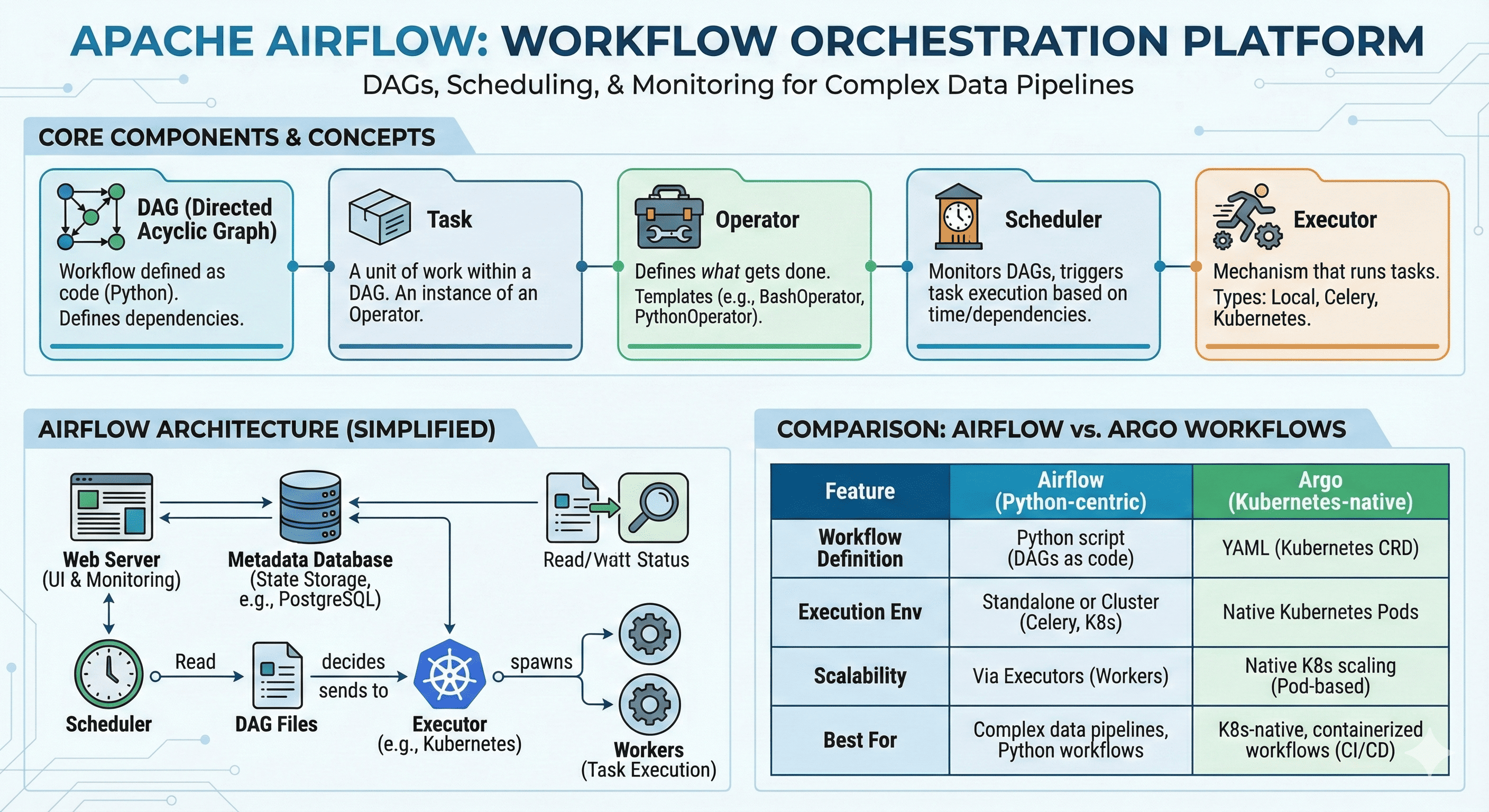
Overview
Today we’ll explore Apache Airflow, a powerful data pipeline and workflow orchestration tool.
Airflow is an essential tool in data engineering, DevOps, and MLOps that helps manage complex task dependencies and automated execution.
Originally developed at Airbnb and now maintained by the Apache Software Foundation,
Airflow offers various operators and extensibility, making it flexible for use across diverse cloud and on-premises environments.
In this post, we’ll understand Airflow’s core concepts and components, compare it with Kubernetes-based orchestration tool Argo Workflow, and learn how to install Airflow in Docker and Kubernetes environments.
What is Apache Airflow?
Apache Airflow is an open-source tool for orchestrating complex computational workflows and data processing pipelines.
Started by Airbnb in 2014 and became part of the Apache Software Foundation in 2016, Airflow is used to manage task execution and ensure they run in the correct order within specified workflows.
Introduction to Apache Airflow
Airflow provides a platform to programmatically author, schedule, and monitor workflows, making it particularly valuable for data engineering teams managing complex ETL processes and data pipelines.
Key design principles:
- Programmatic Workflow Definition: Define workflows as code using Python
- Dynamic Pipeline Generation: Create workflows dynamically based on configuration
- Extensible Architecture: Rich ecosystem of operators and hooks
- Rich User Interface: Web-based UI for monitoring and managing workflows
- Scalable Execution: Support for various execution environments
Airflow excels in environments where complex data dependencies need to be managed reliably and where workflow logic changes frequently.
Core Concepts and Components
| Component | Description |
|---|---|
| DAGs (Directed Acyclic Graphs) |
|
| Tasks |
|
| Operators |
|
| Scheduler |
|
| Executors |
|
| Hooks |
|
Airflow Architecture Diagram
- Scheduler: Reads DAG files and schedules task execution
- Web Server: Provides UI for monitoring, triggering, and viewing history
- Executor: Handles actual task execution (Local, Celery, Kubernetes, etc.)
- Metadata Database: Stores state information (task success/failure, DAG history)
- Workers: Execution units used by the executor (especially important in CeleryExecutor)
Apache Airflow vs Argo Workflow
Understanding the differences between Airflow and Argo Workflow helps in choosing the right tool for your environment and use case.
| Feature | Apache Airflow | Argo Workflow |
|---|---|---|
| Workflow Definition | Python scripts enabling complex logic and integrations | YAML definitions with direct Kubernetes resource integration |
| DAG Support | Native support for DAGs to manage task dependencies and orchestration | Supports DAGs for managing dependencies and execution order within Kubernetes |
| Execution Environment | Runs on standalone servers or clusters, typically managed with Celery, Kubernetes, etc. | Runs natively in Kubernetes, executing workflow steps using Pods |
| Scalability | Scalable through executors like Celery, Kubernetes. Tasks scale based on worker availability | Highly scalable due to Kubernetes integration with dynamic Pod allocation |
| User Interface | Rich UI for workflow monitoring, retries, and visualization | Simplified UI primarily for visualizing workflows and managing Kubernetes objects directly |
| Community & Support | Extensive community support with various plugins and third-party tools | Growing community with Kubernetes-based support and integrations |
- Apache Airflow is better suited for complex data pipeline orchestration where you need programmatic task definition and management using Python
- Argo Workflows excels in containerized Kubernetes environments and is ideal for DevOps and MLOps pipelines where Kubernetes is already in use
Executor Selection Guide
Choosing the right executor is crucial for your Airflow deployment’s performance and scalability.
| Executor Type | Characteristics | Recommended For |
|---|---|---|
| SequentialExecutor | Default setting. Executes only one task at a time | Testing purposes, local environments |
| LocalExecutor | Supports parallel execution. Based on multiprocessing | Small-scale workflows, single-machine deployments |
| CeleryExecutor | Supports distributed environments. Workers consume tasks from queue | Complex workflows where parallelism is important |
| KubernetesExecutor | Executes tasks as Pods. Fully distributed environment | Cloud environments, Kubernetes-native deployments |
Installation Guide
This section provides practical examples for installing Airflow in different environments.
Installation 1: LocalExecutor with Docker
This example demonstrates running Airflow with LocalExecutor using Docker Compose.
Prerequisites
- Docker
- Docker Compose
Directory Structure
airflow-local/
├── docker-compose.yaml
└── dags/
    └── sample_dag.py
Docker Compose Configuration
version: '3'
services:
  postgres:
    image: postgres:13
    environment:
      POSTGRES_USER: airflow
      POSTGRES_PASSWORD: airflow
      POSTGRES_DB: airflow

  airflow-init:
    image: apache/airflow:2.8.1
    depends_on:
      - postgres
    environment:
      AIRFLOW__CORE__EXECUTOR: LocalExecutor
      AIRFLOW__CORE__SQL_ALCHEMY_CONN: postgresql+psycopg2://airflow:airflow@postgres/airflow
    volumes:
      - ./dags:/opt/airflow/dags
      - ./logs:/opt/airflow/logs
      - ./plugins:/opt/airflow/plugins
    entrypoint: >
      bash -c "airflow db init && airflow users create
      --username admin --firstname admin --lastname user --role Admin
      --email admin@email.com --password admin123"

  airflow-webserver:
    image: apache/airflow:2.8.1
    depends_on:
      - airflow-init
    ports:
      - "8080:8080"
    environment:
      AIRFLOW__CORE__EXECUTOR: LocalExecutor
      AIRFLOW__CORE__SQL_ALCHEMY_CONN: postgresql+psycopg2://airflow:airflow@postgres/airflow
      AIRFLOW__CORE__LOAD_EXAMPLES: "false"
    volumes:
      - ./dags:/opt/airflow/dags
      - ./logs:/opt/airflow/logs
      - ./plugins:/opt/airflow/plugins
    command: webserver

  airflow-scheduler:
    image: apache/airflow:2.8.1
    depends_on:
      - airflow-webserver
    environment:
      AIRFLOW__CORE__EXECUTOR: LocalExecutor
      AIRFLOW__CORE__SQL_ALCHEMY_CONN: postgresql+psycopg2://airflow:airflow@postgres/airflow
    volumes:
      - ./dags:/opt/airflow/dags
      - ./logs:/opt/airflow/logs
      - ./plugins:/opt/airflow/plugins
    command: scheduler
Sample DAG
dags/sample_dag.py
from airflow import DAG
from airflow.operators.bash import BashOperator
from datetime import datetime

with DAG("sample_dag", start_date=datetime(2024, 1, 1), schedule_interval="@daily", catchup=False) as dag:
    t1 = BashOperator(task_id="hello", bash_command="echo 'Hello Airflow'")
    t2 = BashOperator(task_id="bye", bash_command="echo 'Bye Airflow'")
    t1 >> t2
Execution Steps
# 1. Start services with docker-compose
docker-compose up -d

# 2. Access Web UI
open http://localhost:8080

# 3. Login credentials
# username: admin
# password: admin123

# 4. CLI commands for verification
# Access webserver container
docker exec -it airflow-local-airflow-webserver-1 bash

# List DAGs
airflow dags list

# Trigger DAG
airflow dags trigger sample_dag

# Check task status
airflow tasks list sample_dag

# Clean up
docker-compose down
Installation 2: KubernetesExecutor with Helm
This example shows how to deploy Airflow in Kubernetes using Helm charts.
Prerequisites
- Kubernetes cluster (Minikube, Kind, GKE, etc.)
- Helm installed
- kubectl CLI installed
Helm Chart Setup
# Add Helm repository
helm repo add apache-airflow https://airflow.apache.org

# Update Helm chart repository
helm repo update

# Install with custom values
helm install airflow apache-airflow/airflow -n airflow --create-namespace -f airflow-values.yaml
Sample Values Configuration
airflow-values.yaml
########################################
## Airflow Basic Configuration
########################################
airflow:
  image:
    repository: apache/airflow
    tag: 2.8.4-python3.9
  executor: KubernetesExecutor
  fernetKey: "$(openssl rand -base64 32)"
  webserverSecretKey: "$(openssl rand -hex 16)"
  config:
    AIRFLOW__WEBSERVER__EXPOSE_CONFIG: "False"
    AIRFLOW__CORE__LOAD_EXAMPLES: "False"
  users:
    - username: admin
      password: admin
      role: Admin
      email: admin@example.com
      firstName: Admin
      lastName: User

########################################
## DAG Configuration
########################################
dags:
  persistence:
    enabled: true
    storageClass: "standard"
  gitSync:
    enabled: false

########################################
## Webserver Configuration
########################################
webserver:
  service:
    type: NodePort
    ports:
      - name: airflow-ui
        port: 8080
        targetPort: 8080
        nodePort: 30080

########################################
## Scheduler Configuration
########################################
scheduler:
  replicas: 1

########################################
## Triggerer Configuration
########################################
triggerer:
  enabled: true
  replicas: 1

########################################
## PostgreSQL Configuration
########################################
postgresql:
  enabled: true
  persistence:
    enabled: true
    size: 8Gi
    storageClass: "standard"
Verification Commands
# Check deployment status
kubectl get pods -n airflow

# Check services
kubectl get svc -n airflow

# Access Web UI (NodePort)
# http://<node-ip>:30080

# Check logs
kubectl logs -f deployment/airflow-scheduler -n airflow

# Clean up
helm uninstall airflow -n airflow
kubectl delete namespace airflow
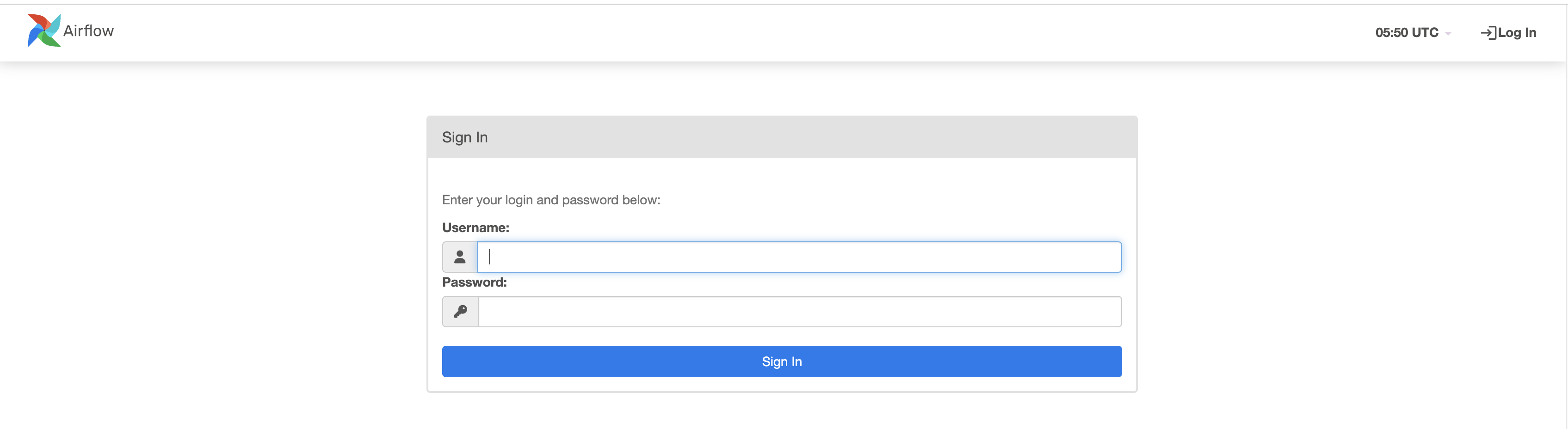
Check and login.
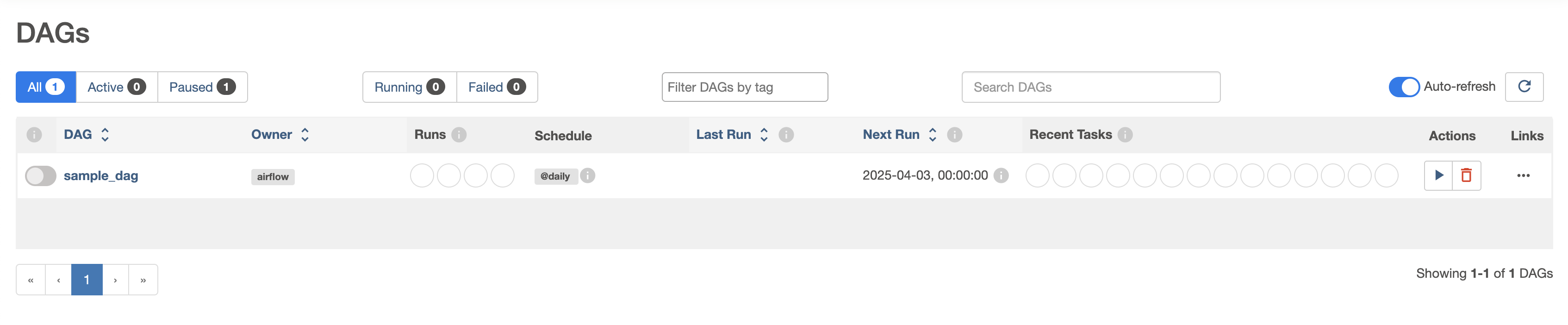
Run the DAG I created.
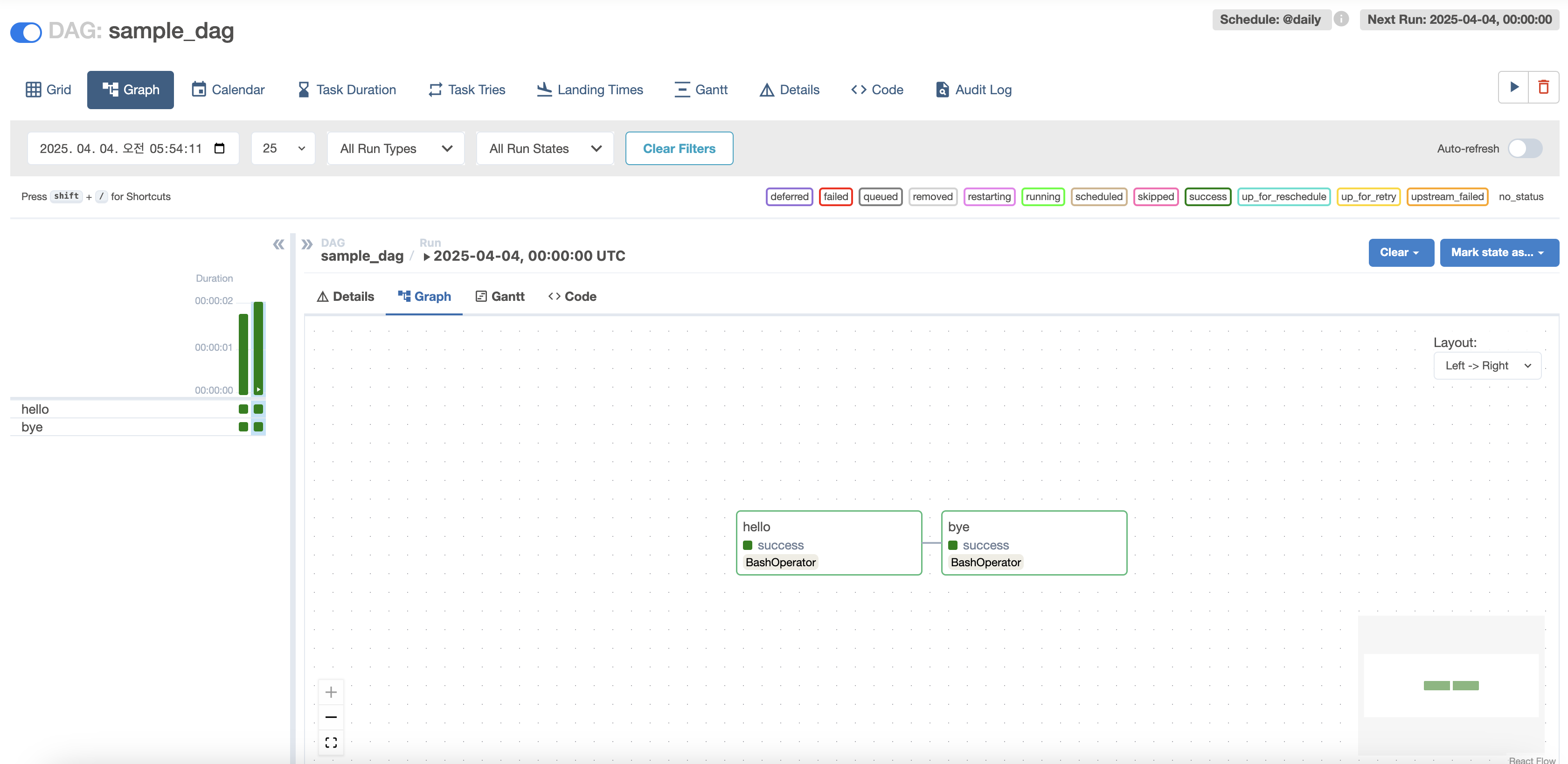
Graph can also be checked as shown below.
Troubleshooting Guide
Common issues and their solutions when working with Airflow deployments.
| Issue | Solution |
|---|---|
| DAGs not appearing |
|
| DAGs not recognized |
|
| Tasks failing to execute |
|
| Scheduler not running |
|
Additional Troubleshooting Checklist
- DAG Path & Persistence: Verify DAG path is correct in Helm values.yaml and PVC is properly mounted
- File Ownership & Permissions: Ensure airflow user can read DAG files (check chmod, chown)
- Python Syntax Errors: Check airflow-scheduler pod logs for DAG parsing errors
- GitSync Configuration: If using GitSync, verify Git repository synchronization
- DAG File Location: Confirm files are in /opt/airflow/dags path, or modify AIRFLOW__CORE__DAGS_FOLDER if different
Implementation Considerations
When implementing an Airflow solution, consider these critical factors:
Resource Planning
Airflow Component Resource Requirements:
Scheduler
- CPU: 1-2 cores for small deployments, 4+ cores for large environments
- Memory: 2-4GB base, scales with DAG complexity and count
- Storage: Fast storage for metadata database access
Webserver
- CPU: 1-2 cores, scales with concurrent user sessions
- Memory: 1-2GB base plus memory for UI operations
- Network: Consider load balancing for high availability
Workers (for CeleryExecutor)
- CPU: Varies based on task requirements
- Memory: Depends on task memory usage patterns
- Autoscaling: Configure based on queue depth and response time requirements
Database Considerations
Metadata Database Planning:
Database Selection
- PostgreSQL: Recommended for production deployments
- MySQL: Alternative option with good performance
- SQLite: Development and testing only
Performance Optimization
- Connection Pooling: Configure appropriate pool sizes
- Indexing: Ensure proper indexing on frequently queried tables
- Backup Strategy: Regular backups with point-in-time recovery capability
Key Points
-
Core Strengths
- Programmatic workflow definition using Python
- Rich ecosystem of operators and hooks
- Powerful web UI for monitoring and management
- Scalable execution with multiple executor options -
Architecture Benefits
- Modular design with clear separation of concerns
- Flexible executor selection for different environments
- Extensive integration capabilities
- Strong community support and ecosystem -
Implementation Best Practices
- Choose appropriate executor for your environment
- Plan for proper resource allocation and scaling
- Implement robust monitoring and alerting
- Consider security and access control requirements
Conclusion
Apache Airflow provides a powerful platform for orchestrating complex data workflows with its explicit DAG structure, intuitive UI, and diverse operator ecosystem.
It’s widely used across data engineering, batch processing, ETL, and machine learning pipeline domains.
The flexibility of Python-based DAG definitions and extensive external system integration hooks are particular strengths.
For Kubernetes environments, cloud-native alternatives like Argo Workflows are also worth considering.
Each tool has different advantages depending on use cases and environments, so it’s important to adopt the right tool for your specific needs.
With a proper understanding of Airflow’s concepts and components, you’ll be able to build more systematic data-driven automation and orchestration environments.

Comments