13 min to read
Docker Image Copy Automation - buildx imagetools vs skopeo Practical Comparison
Comprehensive guide to automating container image copying for enterprise environments
Overview
In modern CI/CD environments and when operating internal registries, there’s often a need to copy images from external sources like Docker Hub, GCR, or ghcr.io to internal registries such as Harbor or Nexus for better control and management.
This practice becomes particularly valuable in the following scenarios:
- Bypassing external image pull limits (Docker Hub Rate Limits)
- Removing external dependencies in restricted network environments (corporate networks)
- Ensuring image trustworthiness and facilitating security audits
- Improving deployment speed by using local mirrors
Common Use Cases for Image Copying
- Rate Limit Avoidance: Docker Hub's anonymous pull limits can break CI/CD pipelines
- Air-Gapped Environments: Secure environments with no internet access
- Compliance Requirements: Security policies requiring internal image scanning
- Performance Optimization: Local mirrors reduce pull times significantly
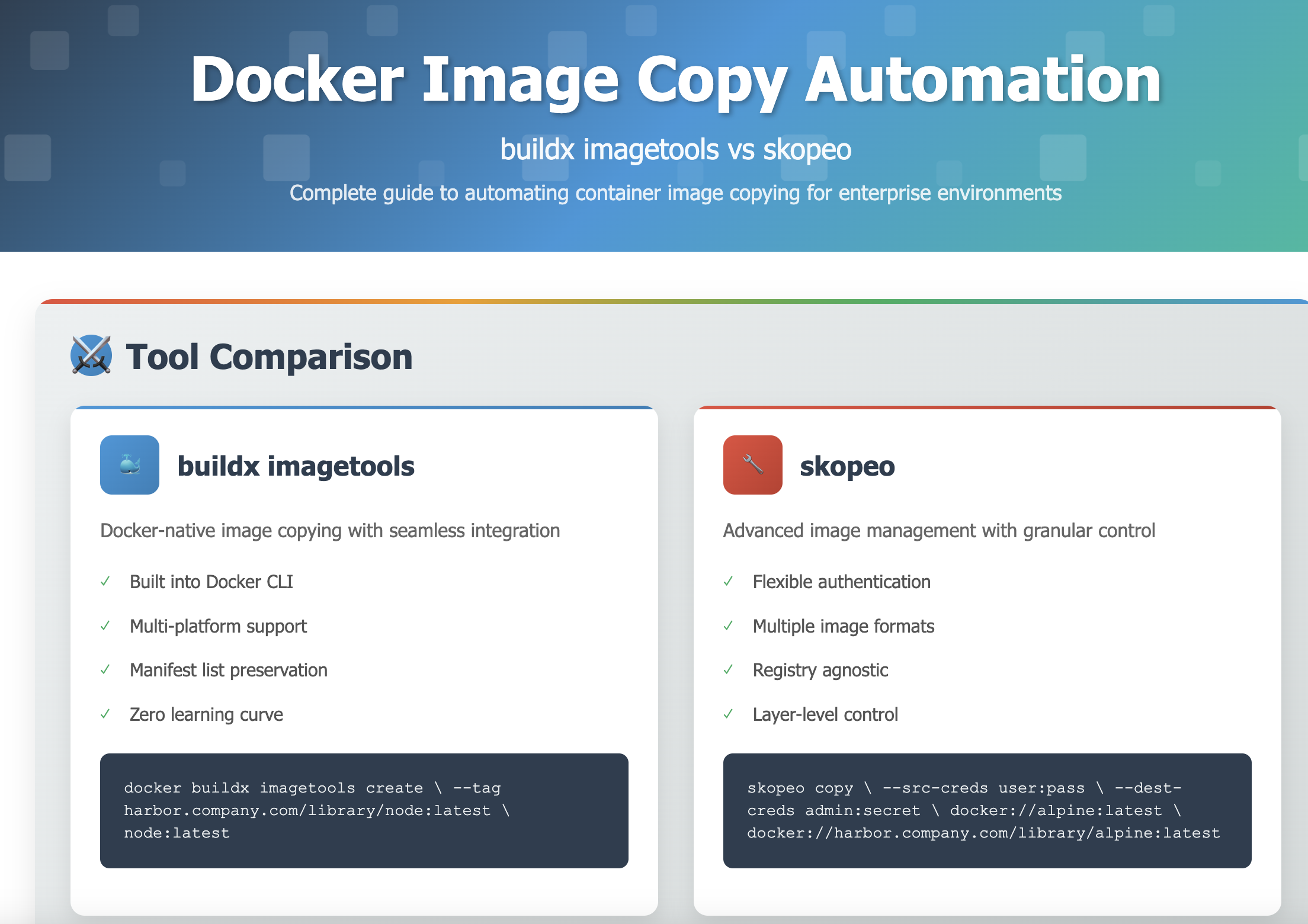
Two primary tools dominate this space for container image copying:
- docker buildx imagetools
- skopeo copy
Each tool has distinct advantages and use cases, making the choice dependent on specific requirements and infrastructure constraints.
Docker buildx imagetools: Integrated Approach
The docker buildx imagetools command provides a straightforward method for copying images while leveraging Docker’s built-in capabilities.
Basic Usage Example
Advanced Multi-Platform Copying
Key Characteristics
| Aspect | Details |
|---|---|
| Integration | Native Docker CLI integration, no additional tools required |
| Multi-Platform | Automatically preserves manifest lists for multi-architecture images |
| Authentication | Uses Docker's existing authentication configuration |
| Performance | Efficient for complete image copying, less granular control |
Advantages
- Zero Learning Curve: If you know Docker, you can use buildx imagetools
- Built-in Availability: Comes with Docker Desktop and modern Docker installations
- Multi-Platform Support: Excellent handling of manifest lists and multiple architectures
- Simple Automation: Easy to integrate into existing Docker-based workflows
Limitations
- Limited Authentication Options: Relies on Docker’s credential configuration
- No Layer-Level Control: Cannot optimize layer-level caching or perform selective copying
- Registry Compatibility: Some proxy registries may cause issues
- Rate Limit Inheritance: Still subject to source registry rate limits
Skopeo: Advanced Container Image Management
Skopeo provides more granular control over image copying operations with support for various image formats and advanced authentication mechanisms.
Basic Usage Example
Advanced Operations
Comprehensive Feature Set
| Feature | Description |
|---|---|
| Authentication | Flexible credential management with --src-creds and --dest-creds |
| Format Support | OCI, docker-archive, dir, oci-archive formats |
| Layer Control | Layer-level copying and optimization capabilities |
| Inspection | Remote image inspection without downloading |
| Registry Support | Extensive registry compatibility including private registries |
Installation Options
Ubuntu/Debian
# Install from package repository
sudo apt-get update
sudo apt-get install skopeo

# Alternative: Install from source
sudo apt-get install golang-go
git clone https://github.com/containers/skopeo
cd skopeo && make bin/skopeo
RHEL/CentOS
# Install from EPEL
sudo dnf install skopeo

# Or using package manager
sudo yum install skopeo
macOS
# Using Homebrew
brew install skopeo

# Using MacPorts
sudo port install skopeo
Advantages
- Authentication Flexibility: Superior credential management for complex scenarios
- Format Versatility: Support for multiple image and archive formats
- Registry Agnostic: Works with virtually any OCI-compatible registry
- Inspection Capabilities: Remote image analysis without local storage
- Layer Optimization: Fine-grained control over image layer handling
Limitations
- Learning Curve: More complex syntax and options compared to Docker tools
- Separate Installation: Requires additional tool installation and maintenance
- Docker Integration: Less seamless integration with Docker-centric workflows
Detailed Comparison: buildx vs skopeo
Understanding the specific differences helps in making informed tool selection decisions.
Feature Comparison Matrix
| Criteria | buildx imagetools | skopeo |
|---|---|---|
| Installation | Built into Docker | Separate installation required |
| Learning Curve | Minimal (Docker knowledge) | Moderate (new syntax) |
| Authentication | Docker config based | Flexible credential options |
| Format Support | Docker registry only | Multiple formats (OCI, archive, dir) |
| Multi-Platform | Excellent (automatic) | Good (--all flag required) |
| Performance | Fast for simple copies | Optimized for complex scenarios |
| Inspection | Basic inspection only | Comprehensive remote inspection |
| Registry Compatibility | Docker-compatible registries | Universal OCI compatibility |
Performance Benchmarks
Real-world testing scenarios demonstrate performance characteristics:
Test Environment
- Image: nginx:latest (multi-platform, ~180MB)
- Source: Docker Hub
- Destination: Local Harbor registry
- Network: 1Gbps connection
Results
| Metric | buildx imagetools | skopeo |
|---|---|---|
| Single architecture copy | 45 seconds | 48 seconds |
| Multi-platform copy | 125 seconds | 135 seconds |
| Memory usage | ~50MB | ~30MB |
| CPU utilization | Medium | Low |
Decision Matrix: Choosing the Right Tool
Select the appropriate tool based on your specific requirements and constraints.
Use Case Recommendations
| Scenario | Recommended Tool | Justification |
|---|---|---|
| Simple Docker Hub → Harbor copying | buildx imagetools | Minimal setup, Docker integration |
| Multi-registry authentication | skopeo | Superior credential management |
| Air-gapped environment setup | skopeo | Archive format support |
| CI/CD pipeline integration | buildx imagetools | Docker-native tooling |
| Complex registry topologies | skopeo | Registry agnostic approach |
| Image format conversion | skopeo | Multiple format support |
Decision Tree
Practical Automation Scripts
Real-world automation examples for different scenarios and requirements.
buildx imagetools Automation Script
This script demonstrates automated image copying using Docker’s native tools:
skopeo Advanced Automation Script
This script showcases skopeo’s advanced features for enterprise environments:
CI/CD Integration Examples
GitHub Actions Integration
name: Image Mirror Automation

on:
  schedule:
    - cron: '0 2 * * *'  # Daily at 2 AM
  workflow_dispatch:

jobs:
  mirror-images:
    runs-on: ubuntu-latest
    steps:
      - name: Checkout
        uses: actions/checkout@v4

      - name: Set up Docker Buildx
        uses: docker/setup-buildx-action@v3

      - name: Login to Harbor
        uses: docker/login-action@v3
        with:
          registry: harbor.somaz.link
          username: $
          password: $

      - name: Mirror Images with buildx
        run: |
          chmod +x scripts/copy-images-buildx.sh
          ./scripts/copy-images-buildx.sh
GitLab CI Integration
mirror-images:
  stage: deploy
  image: quay.io/skopeo/stable:latest
  variables:
    DEST_REGISTRY_USER: $HARBOR_USERNAME
    DEST_REGISTRY_PASS: $HARBOR_PASSWORD
  script:
    - chmod +x scripts/copy-images-skopeo.sh
    - ./scripts/copy-images-skopeo.sh
  rules:
    - if: $CI_PIPELINE_SOURCE == "schedule"
    - if: $CI_PIPELINE_SOURCE == "web"
Advanced Use Cases and Patterns
Explore sophisticated scenarios that demonstrate the full potential of image copying automation.
Multi-Registry Synchronization
Hub-and-Spoke Pattern
Air-Gapped Environment Setup
Complete Offline Transfer Workflow
Image Vulnerability Management Integration
Security-Aware Image Copying
Monitoring and Alerting
Implement comprehensive monitoring for image copying operations to ensure reliability and performance.
Metrics Collection
Prometheus Integration
Performance Optimization Strategies
Optimize image copying operations for speed, reliability, and resource efficiency.
Bandwidth Management
Rate Limiting and Parallel Processing
#!/bin/bash

# Intelligent bandwidth management for image copying

# Configuration
MAX_PARALLEL_JOBS=3
RATE_LIMIT_MBPS=100
RETRY_ATTEMPTS=3
RETRY_DELAY=30

# Bandwidth monitoring
monitor_bandwidth() {
    # Monitor network utilization and adjust parallel jobs
    local current_usage
    current_usage=$(iftop -t -s 10 2>/dev/null | grep "Total" | awk '{print $4}' | sed 's/[^0-9.]//g')

    if (( $(echo "$current_usage > $RATE_LIMIT_MBPS" | bc -l) )); then
        log "WARN" "Bandwidth utilization high ($current_usage Mbps), reducing parallel jobs"
        MAX_PARALLEL_JOBS=1
    else
        MAX_PARALLEL_JOBS=3
    fi
}

# Adaptive copy with retries
adaptive_copy() {
    local src_image="$1"
    local dest_image="$2"
    local attempt=1

    while (( attempt <= RETRY_ATTEMPTS )); do
        log "INFO" "Copy attempt $attempt/$RETRY_ATTEMPTS for $src_image"

        monitor_bandwidth

        if copy_image "$src_image" "$dest_image" "$creds"; then
            return 0
        fi

        log "WARN" "Copy attempt $attempt failed, waiting ${RETRY_DELAY}s before retry"
        sleep "$RETRY_DELAY"
        ((attempt++))
    done

    log "ERROR" "All copy attempts failed for $src_image"
    return 1
}
Caching Strategies
Layer-Level Caching Optimization
Security Considerations
Implement robust security practices for image copying operations in enterprise environments.
Credential Management
Secure Credential Storage
Image Signature Verification
Cosign Integration for Supply Chain Security
Troubleshooting Guide
Common issues and their solutions when implementing image copying automation.
Common Issues and Solutions
Authentication Problems
| Issue | Symptoms | Solution |
|---|---|---|
| Docker Hub Rate Limits | 429 Too Many Requests error | Use authenticated pulls or implement exponential backoff |
| Registry Authentication | 401 Unauthorized errors | Verify credentials and registry permissions |
| Self-Signed Certificates | TLS certificate verification failed | Use --src-tls-verify=false or add CA certificates |
| Network Connectivity | Connection timeout or DNS resolution failures | Check firewall rules and DNS configuration |
Performance Issues
#!/bin/bash

# Diagnostic script for performance issues

diagnose_performance() {
    log "INFO" "Starting performance diagnostics"

    # Check system resources
    echo "=== System Resources ==="
    free -h
    df -h
    iostat -x 1 3

    # Check network connectivity
    echo "=== Network Diagnostics ==="
    ping -c 3 8.8.8.8
    curl -w "@curl-format.txt" -o /dev/null -s "https://registry-1.docker.io/v2/"

    # Check registry connectivity
    echo "=== Registry Connectivity ==="
    skopeo inspect docker://alpine:latest --raw

    # Check concurrent connections
    echo "=== Active Connections ==="
    ss -tuln | grep :443
}

# Network optimization
optimize_network() {
    # Increase TCP window size
    sysctl -w net.core.rmem_max=16777216
    sysctl -w net.core.wmem_max=16777216
    sysctl -w net.ipv4.tcp_rmem="4096 12582912 16777216"
    sysctl -w net.ipv4.tcp_wmem="4096 12582912 16777216"

    # Optimize for long-distance, high-bandwidth connections
    sysctl -w net.ipv4.tcp_congestion_control=bbr
}
Debug Mode Implementation
Enhanced Logging and Debugging
Key Points
-
Tool Selection Strategy
- Use buildx imagetools for simple Docker-centric workflows
- Choose skopeo for complex authentication and format requirements
- Consider hybrid approaches for different use cases
- Evaluate based on existing infrastructure and team expertise -
Production Implementation
- Implement comprehensive monitoring and alerting
- Use secure credential management practices
- Plan for rate limiting and bandwidth management
- Include signature verification for supply chain security -
Operational Excellence
- Automate with proper error handling and retry logic
- Maintain detailed logging for troubleshooting
- Test thoroughly in staging environments
- Document procedures for team knowledge sharing
Conclusion
Container image copying automation has evolved from a convenience feature to a critical infrastructure component in modern DevOps environments. The choice between docker buildx imagetools and skopeo depends on specific organizational needs, existing toolchain integration, and operational complexity requirements.
For straightforward Docker-centric environments, buildx imagetools provides seamless integration with existing Docker workflows, minimal learning curve, and excellent multi-platform support. Organizations already invested in Docker tooling will find this approach natural and efficient.
Skopeo excels in complex enterprise scenarios requiring sophisticated authentication mechanisms, diverse image format support, and fine-grained control over copying operations. Its registry-agnostic approach and extensive feature set make it ideal for multi-cloud and hybrid environments.
Strategic Implementation Guidelines
- Start Simple: Begin with buildx imagetools for basic requirements, then migrate to skopeo as complexity grows
- Security First: Implement proper credential management and image verification from the beginning
- Monitor Everything: Establish comprehensive monitoring and alerting for all copy operations
- Plan for Scale: Design automation scripts with parallel processing and error handling in mind
- Document Thoroughly: Maintain clear documentation for troubleshooting and team knowledge transfer
Future Considerations
As container ecosystems continue to evolve, image copying automation will likely integrate more deeply with supply chain security tools, policy enforcement systems, and cloud-native platforms. Organizations should design their image copying strategies with flexibility and extensibility in mind to accommodate future requirements.
The combination of proper tooling, robust automation, and operational excellence ensures that container image management becomes an enabler rather than a bottleneck in modern software delivery pipelines.
References
- Docker Buildx Documentation
- Skopeo Project Repository
- Skopeo Manual Pages
- Harbor Registry Documentation
- Container Registry Security Best Practices
- Docker Hub Rate Limiting
- Cosign Documentation
- OCI Distribution Specification
- Trivy Security Scanner
- Prometheus Monitoring
- Container Image Security
- CNCF Landscape - Registries
- Docker Registry API
- Red Hat Quay Documentation
- AWS ECR Best Practices


Comments